
Blogs
Key Takeaways:
- Both Linux Mint and Ubuntu are reliable, beginner-friendly Linux distributions.
- Linux Mint offers a more traditional desktop experience, ideal for Windows switchers.
- Ubuntu provides a modern GNOME interface and a stronger enterprise and cloud presence.
- Your choice depends largely on preferred desktop environment and workflow style rather than core functionality.
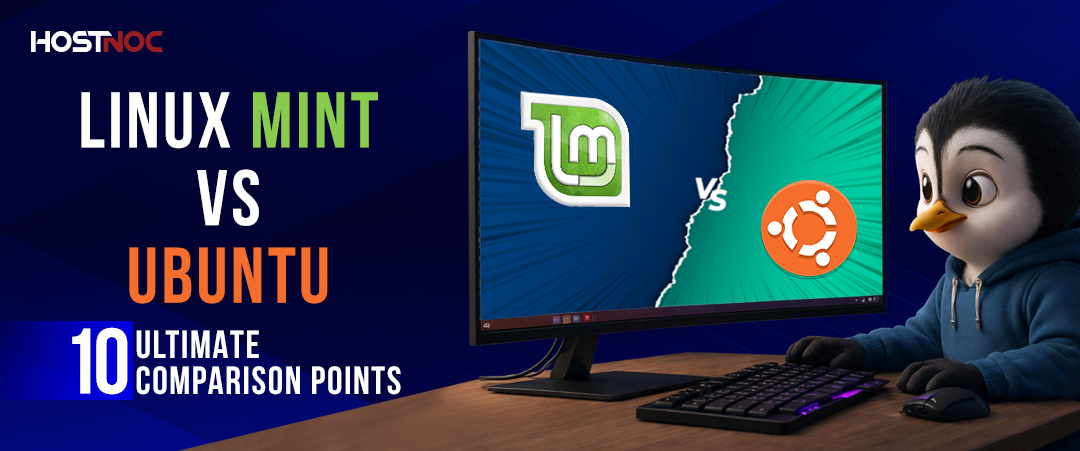
When choosing a Linux distribution, one of the most common debates is linux mint vs ubuntu. Both are powerful, beginner-friendly operating systems built on the Linux kernel, yet they offer distinct user experiences, software management approaches, and system philosophies.
If you are wondering whether to choose Linux Mint or Ubuntu, this detailed guide will walk you through everything, from performance and desktop environments to installation, editions, and the real difference between Linux and Ubuntu.
Understanding Ubuntu Linux and Mint Linux
Before diving into ubuntu vs linux mint, it’s important to understand the foundation.
Linux Mint vs Ubuntu: Are Linux and Ubuntu the Same?
A common question is: are Linux and ubuntu same?
The answer is no.
- Linux is the core kernel, the engine that powers many operating systems.
- Ubuntu is a Linux distribution (distro) built around the Linux kernel.
- Linux Mint is also a Linux distribution, largely based on Ubuntu.
So when comparing Linux vs Ubuntu, remember that Ubuntu itself is Linux, just packaged with specific tools, desktop environments, and support systems.
Linux Mint vs Ubuntu: Core Overview
What is Linux Mint?
Linux Mint (often called Mint Linux) is a community-driven Linux distribution designed for ease of use and simplicity. It provides a familiar desktop layout, especially appealing to Windows users switching to Mint for Linux.
It comes in multiple editions:
- Linux Mint Cinnamon (default edition)
- MATE edition
- Linux Mint XFCE
- Linux Mint Debian Edition (LMDE)
Users can perform a Linux Mint download directly from the official website, selecting the preferred desktop version.
What is Ubuntu?
Ubuntu is developed by Canonical and is one of the most widely used Linux distributions worldwide. It uses the GNOME desktop environment and focuses on modern design, enterprise use, and cloud/server integration.
Ubuntu is often considered more corporate-backed compared to the community-driven nature of Mint Linux.
Learn about: Debian vs Arch Linux: Choosing the Right Linux Distribution
Desktop Environment Comparison
Linux Mint Cinnamon vs Ubuntu GNOME
A key part of the Linux Mint versus Ubuntu debate lies in desktop environments.
Linux Mint Cinnamon
- Traditional layout
- Lightweight yet modern
- Highly customizable
- Ideal for Windows migrants
Ubuntu GNOME
- Modern interface
- Activities overview
- Dock-based navigation
- Slightly heavier resource usage
If you’re deciding between Mint OS and Ubuntu, desktop preference plays a major role.

Performance and System Requirements
When comparing Ubuntu and Mint, performance can vary depending on hardware.
Linux Mint
- Runs smoothly on older systems
- Linux Mint XFCE is excellent for low-resource PCs
- Cinnamon is optimized for stability
Ubuntu
- GNOME consumes more RAM
- Better suited for modern hardware
- Strong performance on SSD systems
If you have older hardware, linux mint operating system download may offer better responsiveness.
Software Management and Updates
Another major difference in linux mint vs ubuntu is package management.
Linux Mint
- Uses APT (like Ubuntu)
- Flatpak is enabled by default
- Custom Mint Software Manager
- Conservative updates for stability
Ubuntu
- Uses APT
- Snap packages are integrated by default
- Ubuntu Software Center
- Faster adoption of newer packages
Many users comparing mint vs ubuntu download consider software preferences a deciding factor.
Read About: Setup PPTP Server On Ubuntu Linux and CentOS
Installation Process
If you’re searching for how to install Linux Mint, the process is beginner-friendly:
How to Install Linux Mint?
- Complete your Linux Mint download from the official site.
- Create a bootable USB using tools like Rufus or Balena Etcher.
- Boot into the live environment.
- Launch the installer and follow prompts.
- Choose partition options.
- Complete setup.
The process for Ubuntu is similar, making both options suitable for first-time Linux users.
Editions of Linux Mint
Linux Mint provides flexibility through its editions:
1. Linux Mint Cinnamon
The flagship edition. Balanced performance and modern user interface.
2. Linux Mint XFCE
Lightweight, ideal for older systems.
3. Linux Mint Debian Edition
Unlike the standard Ubuntu-based version, Linux Mint Debian Edition is built directly on Debian. It provides more independence from Ubuntu’s release cycle.
For users unsure between linux mint or ubuntu, LMDE may appeal if you prefer Debian stability without Ubuntu influence.
Stability and Release Cycle
Ubuntu
- Regular 6-month releases
- Long Term Support (LTS) versions every 2 years
- Strong enterprise focus
Linux Mint
- Based on Ubuntu LTS
- Focus on stability over frequent updates
- Slower but more polished releases
In the Linux Mint versus Ubuntu discussion, Mint often wins for desktop stability while Ubuntu wins for cutting-edge updates.
Community and Support
Ubuntu
- Backed by Canonical
- Enterprise support available
- Extensive documentation
Linux Mint
- Community forums
- Volunteer-driven support
- Friendly user base
For developers and enterprises comparing ubuntu vs linux mint, Ubuntu often offers stronger commercial backing.
Learn About: Fix Kali Linux Black Screen after boot?
Customization and Flexibility
Linux distributions are known for customization, but:
- Linux Mint focuses on usability with built-in tweaks.
- Ubuntu requires extensions for deeper GNOME customization.
In the mint vs ubuntu comparison, Mint is often easier for beginners to personalize.
Security
Both systems inherit Linux’s strong security model.
- Regular updates
- Firewall support
- Minimal virus exposure
- User-based permissions
There is no major security gap in linux mint vs ubuntu; both are secure.
Developer and Enterprise Use
Ubuntu is widely used in:
- Cloud environments
- Server hosting
- DevOps setups
- Containerization (Docker, Kubernetes)
Linux Mint is more desktop-focused.
So, in a professional environment, Ubuntu vs Linux Mint often leans toward Ubuntu.
Linux Mint vs Ubuntu: Pros and Cons
Linux Mint Pros
- Beginner friendly
- Windows-like interface
- Stable updates
- Lower system requirements
Linux Mint Cons
- Less enterprise focus
- Slightly delayed package updates
Ubuntu Pros
- Corporate support
- Strong server/cloud presence
- Cutting-edge software
- Large ecosystem
Ubuntu Cons
- GNOME is heavier on resources
- Snap integration is not preferred by all users

Which Should You Choose?
Choose Linux Mint if:
- You are new to Linux.
- You prefer traditional desktop layouts.
- You want simplicity.
- You have older hardware.
Choose Ubuntu if:
- You need enterprise support.
- You’re a developer.
- You want a modern user interface.
- You work with cloud technologies.
Ultimately, the Linux Mint vs Ubuntu choice depends on personal preference and use case.
Read About: 40 Linux Commands Every Linux User Must Master
Final Verdict:
There is no universal winner in Linux Mint vs Ubuntu. Both are excellent Linux distributions with different strengths.
If you’re looking for a polished, beginner-friendly experience, go with Linux Mint.
If you’re seeking broader ecosystem support and enterprise compatibility, choose Ubuntu.
Whether you’re researching the difference between Linux and Ubuntu, asking if Ubuntu is the same as Linux, comparing Linux vs Ubuntu, or deciding on a linux mint os download, both options are powerful, free, and open-source.
Frequently Asked Questions About Linux Mint vs Ubuntu

What is the main difference between Linux Mint and Ubuntu?
The primary difference lies in user experience and design philosophy. Linux Mint focuses on a traditional desktop layout with built-in multimedia support, while Ubuntu emphasizes a modern GNOME-based interface and strong enterprise/cloud integration.
Is Linux Mint based on Ubuntu?
Yes. Most versions of Linux Mint are based on Ubuntu LTS releases, meaning they share the same core system, repositories, and long-term support base.
Which is better for beginners: Linux Mint or Ubuntu?
Both are beginner-friendly, but Linux Mint is often considered easier for Windows switchers due to its familiar desktop layout (especially the Cinnamon edition). Ubuntu, however, has broader documentation and community support.
Which uses more system resources?
Ubuntu (with the default GNOME desktop) typically consumes slightly more RAM compared to Linux Mint Cinnamon. Linux Mint may feel lighter and more responsive on older hardware.
Do both support the same software?
Yes. Since Linux Mint is Ubuntu-based, both use APT package management and have access to nearly identical software repositories.
Which is more stable?
Both are highly stable, especially LTS versions. Linux Mint is sometimes perceived as more conservative with updates, while Ubuntu may introduce newer technologies sooner.
Is Snap supported on both distributions?
Ubuntu includes Snap support by default. Linux Mint disables Snap by default but allows users to enable it manually if needed.
Which is better for developers?
Ubuntu has wider adoption in enterprise and cloud environments, making it slightly more popular among developers. However, Linux Mint provides the same core development tools and repositories.
Can I switch from Ubuntu to Linux Mint without losing files?
Yes. You can back up your home directory and perform a clean installation of Linux Mint. Since both share the same base, compatibility issues are minimal.
Which has better community support?
Ubuntu has a larger global user base and corporate backing, resulting in extensive documentation. Linux Mint also has a strong, active community forum, but on a smaller scale.

Featured Post
URI vs URL: The Definitive Difference Explained Clearly
If you have ever worked with websites, APIs, web development or networking,...

saad ullah
June 18, 2026
IPv4 vs IPv6: Which Powerful Protocol Wins in 2026?
Key Takeaways: IPv4 vs IPv6 represents the evolution of internet addressing from...
saad ullah
June 16, 2026
GPU vs CPU: Which Powerful Choice Wins in 2026?
When building a computer for gaming, video editing, AI workloads or general...
saad ullah
June 12, 2026





