
Blogs
CrowdStrike To Acquire Seraphic Security
February 9, 2026
Lenovo Launches AI Inferencing Servers To Dominate The Market
February 13, 2026
on
Are Dedicated Servers for Large Businesses Worth It?
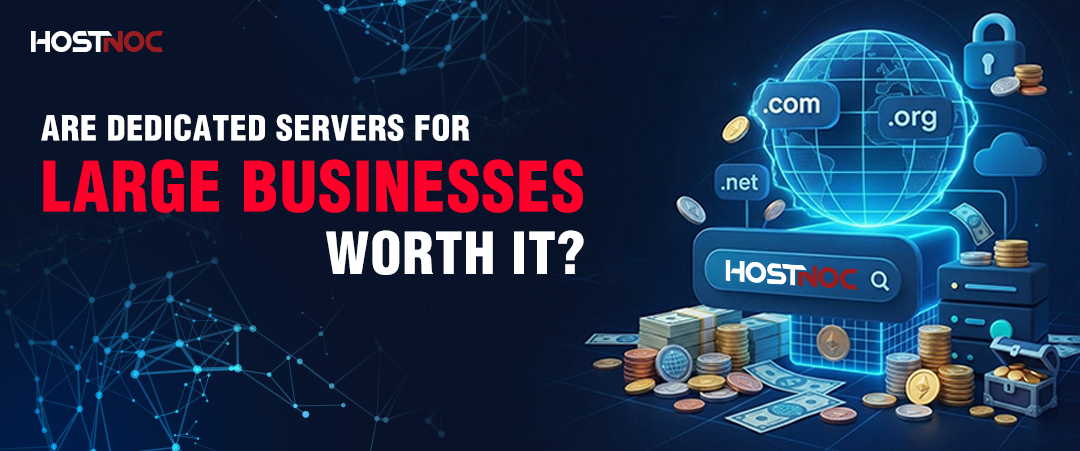
Dedicated servers for large businesses provide infrastructure where performance, reliability, and cost are all essential requirements. Enterprises use single-tenant hardware infrastructure to run applications such as Enterprise Resource Planning systems, Financial Trading Platforms, Machine Learning pipelines, and High-Traffic eCommerce websites due to the requirement for predictable performance and compliance at a low cost.
Dedicated servers for large businesses provide infrastructure where performance, reliability, and cost are all essential requirements. Enterprises use single-tenant hardware infrastructure to run applications such as Enterprise Resource Planning systems, Financial Trading Platforms, Machine Learning pipelines, and High-Traffic eCommerce websites due to the requirement for predictable performance and compliance at a low cost.
Table of Contents
- Key Takeaways:
- What Are Dedicated Servers for Large Businesses?
- Why Large Businesses Choose Dedicated Servers Over Cloud-Only Infrastructure
- Dedicated Servers vs. Cloud vs. VPS: Which Is Right for Large Businesses?
- Scalability Without Compromise
- Dedicated Servers in Hybrid and Multi-Cloud Strategies
- Reliability and High Availability
- Cost Efficiency at Enterprise Scale
- Pros and Cons Of Dedicated Servers for Large Businesses
- Hardware Selection Guide for Dedicated Servers for Large Businesses
- Use Cases of Dedicated Servers in Large Corporations
- Dedicated Servers for Large Businesses: Who Should Use Them?
- How to Choose the Right Dedicated Server Provider for Large Businesses
- The Future of Dedicated Servers for Large Businesses
- Conclusion
Key Takeaways:
- Dedicated servers offer immunity from “noisy neighbors” problems inherent in multi-tenant cloud services.
- Enterprise-level hardware with its performance (e.g., Intel Xeon CPU, AMD EPYC, NVMe SSDs, up to 25 Gbps network interfaces) is able to process loads that are too intensive to be sustainably handled in a cloud VM.
- Isolation provided by single-tenant architecture becomes a must for running applications processing sensitive financial, medical, and government data under HIPAA, PCI DSS, and ISO 27001 standards.
- Cloud-based services will be more expensive on a per-computational-unit basis if you need to have at least 70% server load, non-stop, around the clock.
- Using a dedicated server for processing main business traffic and a cloud service for peak moments is an ideal solution used by nearly every large corporation as of 2026.
- Modern hosting solutions provide a server in just a few hours; there is no need to wait several days for the process.
- Selecting the right provider depends on SLA, Tier of the datacenter, compliance with regulations, and round-the-clock assistance, among other criteria.
What Are Dedicated Servers for Large Businesses?
Dedicated servers are computing machines that belong exclusively to a single company and do not involve sharing any resources. No other tenants share CPUs, memory, or disk space on these machines.
Dedicated servers are needed by big companies when using their ERP systems, core databases, artificial intelligence/machine learning processes, or high-volume e-commerce websites. In such scenarios, multi-tenant virtual instances are not an option because they may have random latency problems, security issues related to shared kernels, or varying levels of throughput.
Currently available dedicated servers feature two-socket servers with either AMD EPYC or Intel Xeon processors (with up to 192 CPU cores per machine), up to 6 TB of DDR5 memory, NVMe-based SSD disks with over 1 million IOPS, and up to 100 Gbps networking capabilities. With this hardware configuration, workloads that require 30–50 cloud virtual instances can be handled more effectively and cheaply, as explained in this dedicated server guide.

Why Large Businesses Choose Dedicated Servers Over Cloud-Only Infrastructure
1. Performance with Scalability: No Resource Sharing, No Compromise
For enterprise-level software solutions, steady and reliable throughput is key. Solutions such as SAP or Oracle-based ERP platforms, analytics systems, high-frequency trading software, and AI model training jobs cannot allow themselves to experience any performance degradation from “CPU steal” and I/O contention within shared cloud platforms.
The performance is guaranteed in a dedicated server due to the lack of resource sharing and competition for resources. Even when facing Black Friday load peaks, financial end-of-quarter activity, and heavy media streaming load, the performance is not impacted by other tenants running on the same hardware.
Benchmark testing done in 2024 revealed that bare metal servers were delivering 3.2x more sustained IOPS and had 40% faster p99 latency than equivalent cloud VM clusters.
2. Total Control and Maximum Customization
Big enterprises have workloads that cannot be handled by any out-of-the-box solution. Dedicated server hosting gives total control over the following:
- Operating system and kernel tuning, such as kernel tuning for high network throughput and real-time processing
- Hardware configuration and RAID configuration: RAID 10 for performance, RAID 6 for fault tolerance, or custom NVMe JBOD configurations.
- Security policy and firewall rule setup: hardware-based packet inspection without depending on virtualization layer mechanisms.
- Application stack and middleware: like legacy applications, custom-built middleware, or any third-party software running outside cloud markets.
Such a level of customization is very important in legacy migrations, compliance-based workloads that have special operating system needs, and AI/ML pipelines requiring GPU passthrough.
3. Security and Compliance at the Enterprise Level
The first major reason enterprises opt for dedicated server hosting is security. The isolation provided through dedicated servers is inherently more secure than shared hosting solutions. There is no risk of hypervisor escape or having an attacker exploit your VMs as part of another tenant’s system.
Security benefits from using dedicated enterprise servers include:
- Isolation down to the hardware level with no kernel, hypervisor escape vectors, or noisy neighbors.
- SELinux policies for hardening, CIS benchmarks configurations, and custom firewall rule sets.
- Dedicated intrusion detection and prevention systems operating on the hardware level.
- Alignment with ISO 27001, SOC 2 Type II, HIPAA, PCI DSS 4.0, and GDPR compliance.
- Physical controls with Tier 3/4 data centers, biometric access, 24/7 surveillance, and hardware-level auditing.
For the financial, medical, and government sectors, using single-tenant dedicated server solutions is a requirement due to the various compliance laws enforced. From HIPAA physical safeguards, PCI DSS network isolation, and FedRAMP compute isolation mandates, these sectors cannot achieve compliance without dedicated solutions.
Dedicated Servers vs. Cloud vs. VPS: Which Is Right for Large Businesses?
| Feature | Dedicated Server | Public Cloud (IaaS) | VPS |
|---|---|---|---|
| Resource exclusivity | Full 100% dedicated | Shared hypervisor layer | Shared physical host |
| Performance consistency | Deterministic | Variable (noisy neighbor) | Variable |
| Customization depth | Complete OS, hardware, kernel | Limited by provider APIs | Moderate |
| Compliance readiness | Highest (physical isolation) | Moderate (shared infrastructure) | Low |
| Cost model | Fixed monthly/annual | Variable (pay-per-use) | Low fixed monthly |
| Best for workload type | Constant, resource-intensive | Bursty, elastic | Low-traffic, dev/test |
| Scalability method | Vertical + horizontal clustering | Auto-scaling groups | Vertical only (limited) |
| Typical uptime SLA | 99.99%+ | 99.9–99.99% | 99.9% |
| Setup time (modern providers) | Hours | Minutes | Minutes |
The verdict for large businesses: Cloud platforms excel at burst scaling and global distribution. Dedicated servers excel at sustained, high-intensity workloads where performance consistency, security, and cost predictability matter. Most enterprise organizations use both, especially when comparing dedicated server vs cloud server and dedicated vs VPS hosting to determine the best infrastructure mix.
Scalability Without Compromise
A typical misunderstanding people have about dedicated hosting is that dedicated servers cannot be scalable like cloud computing platforms. Nowadays, the infrastructure of a modern enterprise dedicated platform can scale along 4 vectors:
- Vertical scalability: Increase RAM, CPU, and NVMe storage capacity on the same server without having to re-provision the entire server
- Horizontal scalability: Provision additional dedicated servers in front of load balancers such as HAProxy, NGINX Plus, or F5 for linear scalability
- Storage scaling: Connect SAN/NAS arrays or networked NVMe storage over NVMe over Fabric to scale storage independently of compute
- Adding container or virtualization layers: By using Kubernetes or VMware to break down your compute into small chunks without reducing its isolation.
In modern setups, the provisioning of dedicated servers takes 2 to 4 hours through a fully automated IaC workflow, instead of the several days it used to take several years ago. Nowadays, even the likes of Terraform provide integration with dedicated server APIs.
Dedicated Servers in Hybrid and Multi-Cloud Strategies
While it’s not competing with cloud-based infrastructures, large organizations need dedicated servers alongside their cloud-based systems. As per 2026, the hybrid strategy, where dedicated servers serve as the infrastructure for the organization’s main tasks while the cloud infrastructure serves as a backup, is the leading architectural approach. According to Gartner, more than 87% of large companies will use hybrid or multi-cloud strategies by 2026.
How the hybrid model works in practice:
| Layer | Infrastructure | Workloads |
|---|---|---|
| Core / Stable | Dedicated servers | Databases, ERP, core applications, and regulated data |
| Burst / Elastic | Public cloud (AWS, Azure, GCP) | Traffic peaks, dev/test, global CDN |
| Edge / Distribution | Cloud regions or CDN | Static assets, API gateways, and regional failover |
| DR / Backup | Geo-redundant dedicated or cloud | Disaster recovery, archive storage |
This system ensures getting the advantages of both approaches: predictable and affordable performance and costs of the baseline services as well as unlimited elasticity for the peak loads. Dedicated servers can be managed via one of the centralized systems such as VMware vCenter, Nutanix, or OpenStack.
To provide private connectivity, AWS Direct Connect, Azure ExpressRoute, or any other direct connection can be used.
Reliability and High Availability
Large corporations lose about $300,000 for each hour of downtime, as indicated in Gartner’s infrastructure research. The following is how dedicated server hosting provides reliability through redundant systems:
- Dual PSU for each server and UPS/Genset backups at the data center level
- Multiple carrier networks with BGP failover among 2-4 carriers ensure that no network outage affects a single carrier
- Hardware management through IPMI/BMC out-of-band management to diagnose and restart hardware remotely without accessing the operating system
- Predictive disk replacement based on intelligent prediction (by NVMe SMART data) to avoid drive failure and prevent loss of data
- Database replication with active-active and active-passive clustering (MySQL Group Replication, PostgreSQL Patroni, Microsoft Always On) to attain 99.999% uptime
The above-referenced systems can be implemented by leading hosting providers, thus achieving five-nines uptime for demanding applications in financial exchanges, payment processing, and healthcare.
Cost Efficiency at Enterprise Scale
While dedicated servers present a greater initial investment compared to cloud instances, they invariably offer superior TCO within the 12-36 month period for large-scale workloads with predictable resource demands.
Where dedicated servers are cost-efficient:
- No performance-based billing: Cloud service providers bill users at a higher rate for GPU-enabled instances, high-memory instances, and IOPS-heavy storage solutions. The same is offered by dedicated servers under a fixed pricing model.
- Licensing advantages: Software licenses for products such as Microsoft SQL Server, Oracle Database, and Windows Server are more economical when deployed on physical servers than virtual machines in a cloud environment due to differences in ISV software licensing models.
- No additional egress fees: Cloud providers have a fee schedule for transferring data out from their platforms at a rate of $0.08-$0.12/GB. Using a dedicated server that has an unmetered bandwidth of 10 Gbps port removes this expense.
- Budgeting certainty: Monthly fixed invoices remove the uncertainties associated with cloud billing, which often leads to overspending by 20-40% among enterprises lacking disciplined FinOps operations.
Rule of thumb: Workloads with consistent utilization above 70% can save costs by using dedicated servers over comparable cloud resources within 6-12 months, making it easier for businesses to manage their overall dedicated server cost.
Pros and Cons Of Dedicated Servers for Large Businesses
Pros:
- Guaranteed performance through complete hardware isolation.
- No unexpected expenses, only fixed monthly fees.
- Complete freedom regarding hardware, operating system, and security settings.
- Improved compliance fit for HIPAA, PCI DSS, and ISO 27001 compliance.
- Better sustained performance for workloads with high utilization rates.
Cons:
- A higher initial investment than the pay-as-you-go model in the cloud.
- In-house experience required for managing the infrastructure.
- Not immediately scalable and relies on additional hardware provision.
- Deployment takes more time than cloud servers.
Hardware Selection Guide for Dedicated Servers for Large Businesses
Choosing the right server configuration starts with workload profiling. Here are the 5 key hardware decisions and what drives them:
1. Processor (CPU)
- High core count (AMD EPYC 9554, 96 cores): Best for containerized microservices, virtualization hosts, and parallel database queries
- High clock speed (Intel Xeon w9-3595X): Best for single-threaded ERP transactions, real-time analytics, and legacy applications that do not parallelize
2. Memory (RAM)
- Minimum 64 GB for high-traffic application servers
- 256 GB–1 TB for in-memory databases (Redis, SAP HANA), large analytics workloads, and ML inference
- DDR5 ECC RDIMM for enterprise reliability error-correcting memory prevents silent data corruption
3. Storage
- NVMe SSD (PCIe 4.0/5.0): For databases, OLTP workloads, and anything requiring >500K IOPS
- SATA SSD RAID 10: For general application servers, balancing cost and performance
- High-capacity HDD arrays: For archival, backup, and cold storage tiers
4. Networking
- 10 Gbps minimum for most enterprise workloads
- 25–100 Gbps for streaming, large-scale data transfer, or high-frequency trading
- Insist on unmetered bandwidth from providers, as overage fees erode cost predictability
5. Management
- IPMI/iDRAC/iLO out-of-band management for remote hardware access, KVM over IP, and server recovery without data center visits
Use Cases of Dedicated Servers in Large Corporations
Dedicated servers support critical corporate infrastructures across six core verticals within the enterprise space:
Financial Services: Trading applications require sub-millisecond latency and reliable computation for complex risk calculations. The industry-standard solution is co-location at Tier 4 data centers, where dedicated servers connect directly to trading feeds.
E-Commerce: Large-scale websites with millions of concurrent users experience millions of simultaneous sessions during peak hours. In order to provide sub-100ms page load latency, dedicated servers are placed behind a load balancer.
Healthcare: Applications such as patient EMR/EHR, DICOM storage, and telemedicine portals require dedicated HIPAA-compliant infrastructure. Shared cloud environments introduce compliance and data isolation risks for sensitive workloads.
Media & Entertainment: Content encoding/transcoding services, live streaming origin servers, and video storage are all high-bandwidth, I/O intensive tasks. A single 4K video stream can fully utilize 10 gigabit network bandwidth on a dedicated server.
Manufacturing & Logistics: Business-critical applications such as SAP, Oracle ERP platform, and IoT data pipelines operate on steady 24/7 workloads, which is what makes dedicated servers superior to cloud instances in terms of performance and cost-efficiency.
AI/ML Workloads: Model training on GPU-equipped dedicated servers delivers 2–3× better cost-per-FLOP than equivalent cloud GPU instances for multi-week training runs.
Dedicated Servers for Large Businesses: Who Should Use Them?
Dedicated servers are best suited for organizations that require consistent performance, strong security, and predictable infrastructure costs.
Ideal for:
- Enterprises running ERP platforms such as SAP or Oracle.
- Companies with consistent workloads running on 70% and higher capacity.
- Industries handling sensitive data, such as finance, healthcare, and government.
- AI/ML applications with GPU and extensive training processes.
- Web platforms with high traffic levels, like big eCommerce.
Not Ideal for:
- Startups and small organizations lack experience in IT infrastructure management.
- Tasks with unpredictable usage periods or peaks.
- Development & testing with frequent changes.
While these solutions are often designed for enterprises, dedicated servers for mid-sized businesses can also be a practical option for companies experiencing steady growth and increasing performance demands.
How to Choose the Right Dedicated Server Provider for Large Businesses
Provider selection is as critical as hardware selection. Evaluate prospective providers across 6 dimensions:
- Data Center Quality: Insist on Tier 3 or Tier 4 data centers with N+1 or 2N power redundancy, multi-carrier fiber, and SOC 2 Type II certification. Tier 3 facilities guarantee 99.982% uptime; Tier 4 guarantees 99.995%.
- Network Performance: Evaluate peering relationships, backbone capacity, and DDoS mitigation. A provider with direct peering to major IXPs (Equinix, DE-CIX) delivers lower latency and higher resilience than one relying solely on upstream transit.
- SLA Terms: Read the SLA carefully, not just the headline uptime percentage. Evaluate credit structures, exclusions, and response time commitments. A 99.99% SLA with a 30-day credit process is less valuable than a 99.9% SLA with same-day remediation.
- Compliance Support: Providers supporting regulated industries hold certifications such as ISO 27001, SOC 2 Type II, PCI DSS Level 1, and HIPAA. Verify that certifications apply to the specific data center and service tier being purchased, not just the provider’s corporate entity.
- Managed Services: Evaluate whether the provider offers managed OS patching, 24/7 monitoring with alerting, hardware replacement SLAs (typically 4-hour hardware replacement under enterprise agreements), and DDoS mitigation.
- Provisioning Speed and Automation: Modern enterprise infrastructure demands rapid deployment. Providers with automated provisioning APIs (supporting Terraform, Ansible, or proprietary SDKs) enable infrastructure-as-code workflows and reduce deployment time from days to hours.

The Future of Dedicated Servers for Large Businesses
Enterprise dedicated infrastructure continues to evolve across 4 technology vectors that close the gap between dedicated and cloud agility:
Infrastructure-as-Code (IaC): Providers now expose dedicated server APIs compatible with Terraform and Pulumi, enabling the same declarative provisioning workflows used for cloud resources. Entire server fleets are provisioned, configured, and decommissioned programmatically.
AI-Driven Operations (AIOps): Predictive monitoring systems analyze hardware telemetry, CPU temperature trends, NVMe wear indicators, and network error counters to predict failures 24–72 hours before they occur. This reduces unplanned downtime by up to 60% compared to reactive maintenance models.
Software-Defined Networking (SDN): VXLAN overlays, BGP-based routing, and programmable switching fabrics allow dedicated server networks to reconfigure topologically in minutes, matching the networking agility of cloud platforms.
Liquid Cooling for High-Density AI: As GPU-equipped dedicated servers for AI training and inference become mainstream (NVIDIA H100/H200 clusters at 700W+ per GPU), liquid cooling systems replace traditional air cooling, enabling rack densities of 100kW+ in modern data centers.
These advances mean that dedicated servers for large businesses deliver cloud-like operational agility without sacrificing the performance, security, and cost predictability that make dedicated infrastructure superior for enterprise workloads.
Conclusion
Dedicated servers remain the infrastructure backbone for large enterprises that cannot afford performance variability, security compromise, or compliance risk. With modern hardware delivering sub-millisecond latency, 99.999% availability through proper clustering, and predictable cost structures that outperform cloud at sustained utilization, dedicated servers for large businesses are not a legacy technology; they are the evolved foundation of enterprise IT.
Whether deployed independently for core workloads or integrated into a hybrid architecture alongside public cloud, enterprise-grade dedicated servers give large businesses the stability to run critical operations today and the flexibility to scale into tomorrow.
Frequently Asked Questions About Dedicated Servers for Large Businesses

What is a dedicated server, and why do large businesses use it?
A dedicated server is a physical machine leased exclusively by one organization, with no shared tenants. Large businesses use dedicated servers because they require consistent high performance, physical security isolation, deep hardware customization, and compliance with regulations (HIPAA, PCI DSS, ISO 27001) that mandate single-tenant infrastructure.
How much does a dedicated server cost for a large business?
Enterprise dedicated server costs range from $200/month for entry-level single-socket configurations to $5,000+/month for dual-socket GPU servers with 10 Gbps uplinks and managed services. For workloads running above 70% utilization continuously, dedicated servers typically cost 40–60% less than equivalent public cloud instances over 12 months.
What is the difference between a dedicated server and a cloud server?
A dedicated server gives one organization exclusive use of physical hardware, with no shared CPU, RAM, or storage. A cloud server (IaaS instance) runs as a virtual machine on shared physical hardware alongside other tenants. Dedicated servers deliver better performance consistency, physical security isolation, and cost efficiency for constant workloads. Cloud servers offer faster deployment and elastic scaling for variable or burst workloads.
Are dedicated servers more secure than cloud servers?
Yes, for regulated and sensitive workloads. Dedicated servers provide physical hardware isolation; there is no shared hypervisor layer, no adjacent tenant, and no cross-VM attack surface. This makes them the preferred infrastructure for HIPAA-regulated healthcare data, PCI DSS cardholder data environments, and government-classified workloads where shared infrastructure is prohibited.
Can dedicated servers scale to handle traffic spikes?
Yes, through 4 methods: vertical scaling (adding RAM or storage), horizontal clustering (deploying additional servers behind load balancers), cloud burst integration (routing overflow traffic to cloud instances), and CDN offloading (distributing static content globally). Modern providers provision additional dedicated servers in 2–4 hours, supporting rapid capacity expansion.
What is a hybrid dedicated server setup?
A hybrid setup uses dedicated servers for stable, performance-sensitive, or compliance-regulated workloads (databases, ERP, core applications) alongside public cloud services for elastic or globally distributed workloads (burst traffic, CDN, disaster recovery). Private connectivity (AWS Direct Connect, Azure ExpressRoute) links the two environments with low latency and without public internet exposure.
What specifications do large businesses need in a dedicated server?
Large businesses typically require: 64–512 GB DDR5 ECC RAM, dual-socket AMD EPYC or Intel Xeon processors (32–192 cores), NVMe SSD storage in RAID 10 configuration (4–30 TB), 10–100 Gbps unmetered network uplinks, IPMI/BMC out-of-band management, and redundant dual power supplies. AI/ML workloads add GPU requirements (NVIDIA A100, H100, or H200 GPUs).
How do I choose the right dedicated server provider for my business?
Evaluate providers on 6 criteria:
- Tier 3/4 data center certification with redundant power and cooling,
- Network peering quality and DDoS protection,
- SLA terms including credit structure and response time commitments,
- Compliance certifications matching your regulatory requirements (HIPAA, PCI DSS, ISO 27001),
- Availability of managed services including 24/7 monitoring and 4-hour hardware replacement,
- Automated provisioning APIs for infrastructure-as-code workflows.

Featured Post
How to Remove a Docker Container Like a Pro? 2026 Guide
Table of Contents Key Takeaways: What Does It Mean to Remove a Docker Container? How to Remove a Docker Container? How to Stop a Container? How […]

saad ullah
April 16, 2026
How to Check and Change RDP Port Step-by-Step? 2026 Guide
The default RDP port is TCP 3389. To check it, run Get-ItemProperty -Path ‘HKLM:\SYSTEM\CurrentControlSet\Control\Terminal Server\WinStations\RDP-Tcp’ -name ‘PortNumber’ in PowerShell. To change it, run Set-ItemProperty with a […]
saad ullah
April 6, 2026
NVMe Dedicated Server: The Ultimate High-Performance Hosting Solution
Web applications, databases, AI workloads, and high-traffic eCommerce platforms are generating more data than ever. Traditional HDD and even SATA SSD servers struggle with IOPS bottlenecks, […]

Sarmad Hasan
April 1, 2026





