
Blogs
on
Is a VPS for Media the Ultimate Hosting Choice in 2026?
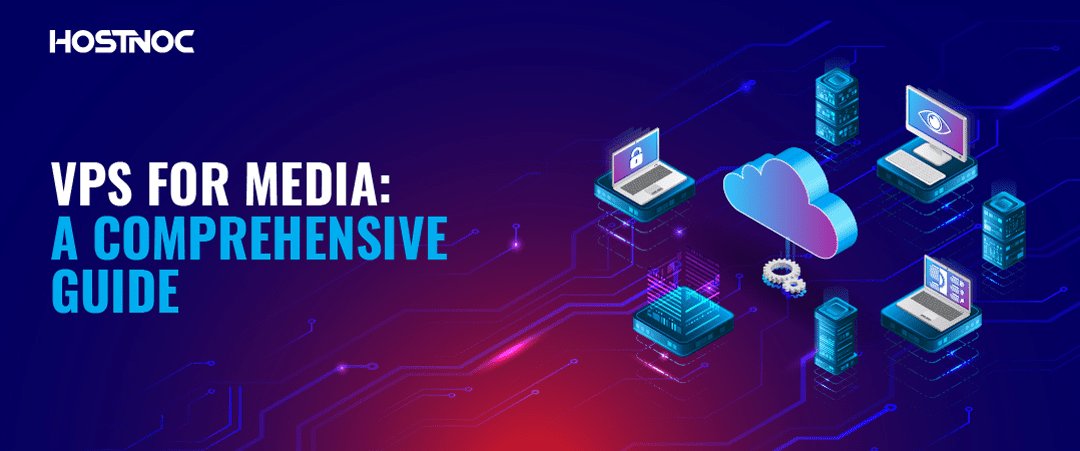
A Virtual Private Server, or VPS, powers modern media workflows. Media brands depend on fast delivery. Video creators need stable performance. Audio streaming platforms require zero downtime. A VPS provides isolated compute resources. It offers dedicated CPU, RAM, and storage. It runs on virtualized infrastructure. It is hosted by providers like DigitalOcean, Vultr, Linode, and OVHcloud.
A VPS improves reliability for media operations. It scales with audience demand. It replaces shared hosting limitations. It supports high-bandwidth traffic. It becomes a solid base for media distribution.
A VPS for media is a virtual private server designed to host, process, store, and deliver digital content such as videos, podcasts, images, live streams, and multimedia applications. Unlike shared hosting, a VPS provides dedicated virtualized resources including CPU, RAM, storage, and bandwidth, allowing media workloads to operate without interference from other users.
Media professionals use VPS hosting to run streaming platforms, manage content libraries, power media websites, and support production workflows. Because resources are isolated, a VPS offers greater reliability, better performance, and more flexibility than traditional shared hosting environments.
Key Takeaways
- Media workloads demand more than shared hosting can offer: Video encoding, live streaming, and large file delivery require dedicated CPU, RAM, and consistent bandwidth that only a VPS can reliably provide.
- The right VPS configuration depends entirely on your workload: A podcaster needs as little as 2 vCPUs and 4GB RAM, while an OTT platform or enterprise streaming operation may require 8+ vCPUs, 32GB RAM, and unmetered bandwidth.
- A VPS gives you full software freedom to install industry-standard tools like FFmpeg, Nginx RTMP, Wowza, Jellyfin, or Plex without the restrictions, codec blocks, or throttling that plague shared hosting environments.
- Security isn’t optional when your content has real monetary value: Protecting media assets requires a layered approach including TLS encryption, SSH key authentication, DDoS protection, Web Application Firewalls, and regular automated backups.
- A well-optimized VPS paired with a CDN becomes a cost-effective media delivery powerhouse, combining server-side caching, Brotli compression, HTTP/3, and global CDN partners like Cloudflare or BunnyCDN, which dramatically reduces buffering, improves SEO, and keeps audiences engaged.
Why You Need a VPS For Media?
Media workloads are resource-intensive. Video encoding needs strong CPUs. Streaming servers need stable bandwidth. Image delivery needs fast disk I/O. Shared hosting cannot handle continuous throughput. A VPS offers guaranteed performance. It isolates you from noisy neighbors. It provides consistent network quality. It supports long-running processes.
Media companies use VPS infrastructure for consistent uptime. Podcasters use VPS for RSS and audio distribution. Filmmakers use VPS for transcoding pipelines. Musicians use VPS for online catalogs. The VPS becomes the backbone of digital media.
Who Should Use a VPS for Media?
A VPS is a practical solution for anyone who manages or distributes digital media content at scale. It provides the flexibility and performance required for modern content delivery while remaining more affordable than a dedicated server.
A VPS for media is particularly suitable for:
- Video creators and YouTubers
- Podcasters and audio publishers
- Online course creators
- News and media websites
- Photographers and image libraries
- Music streaming platforms
- Creative agencies
- Broadcasters and OTT services
- Film production studios
- Digital publishers
As content libraries grow and audience expectations increase, a VPS provides the resources necessary to maintain consistent performance and reliability.
Shared Hosting Vs VPS for Media
Shared hosting limits control. It restricts video formats. It throttles bandwidth. It blocks media codecs. A VPS gives full root access. It lets you install FFmpeg, Nginx, Apache, Wowza Streaming Engine, or Node.js. You can configure HLS, DASH, or RTMP streaming.
On shared hosting, media delivery slows down during peak hours. A VPS maintains consistent performance. Shared hosting works for basic sites. A VPS works for professional media platforms, streaming portals, and creative studios.
VPS vs Shared Hosting vs Dedicated Server for Media
Different hosting environments serve different types of media projects. Choosing the right platform depends on your content volume, traffic levels, and performance requirements.
| Feature | Shared Hosting | VPS Hosting | Dedicated Server |
|---|---|---|---|
| Resource Isolation | Low | Moderate | Complete |
| Root Access | No | Yes | Yes |
| Streaming Support | Limited | Excellent | Excellent |
| Scalability | Limited | High | Very High |
| Performance Consistency | Variable | Stable | Maximum |
| Cost | Low | Moderate | High |
| Best For | Small Websites | Growing Media Platforms | Large Media Operations |
For most creators and media businesses, a VPS offers the best balance between affordability, scalability, and performance.
Key Benefits of VPS for Media
A VPS offers multiple advantages:
- Dedicated resources
- Full administrative control
- Secure isolation
- Scalable CPU and RAM
- SSD or NVMe performance
- High-speed global networks
- Custom media software stacks
- API automation
- Flexible upgrades
These features matter for media brands. They support video on demand. They help distribute podcasts. They enable social media-style image feeds.
A VPS also handles large libraries. It supports metadata indexing. It handles dynamic queries from CMS platforms like WordPress, Drupal, or Ghost.
VPS for Video Streaming
Video streaming demands stable throughput. Tools like Nginx RTMP, Red5, Wowza, Flussonic, and GStreamer rely on VPS power.
Creators can host live streams. Broadcasters can deliver H.264 or H.265 content. Educators can manage virtual classrooms.
A VPS supports:
- Adaptive bitrate streaming
- GPU-based transcoding with supported hosts
- Multi-region delivery using CDN add-ons
- Persistent live-stream recording
Platforms like YouTube, Twitch, and Vimeo use massive cloud infrastructure. Smaller creators mimic similar setups on VPS environments.
The VPS becomes a mini edge server for media operations.
VPS for Audio Streaming and Podcasting
Audio streaming is lighter than video streaming. But uptime still matters. Podcast publishers depend on RSS stability. Music libraries need fast downloads. A VPS supports:
- Icecast
- Shoutcast
- Liquidsoap
- Node.js audio servers
- Podcast CMS tools like Castopod, Podlove, and Transistor-style self-hosting
Audio files load quickly from SSD or NVMe storage. Bandwidth capacity ensures stable listener experiences. A VPS allows unlimited episodes. It supports global delivery through CDN partners such as Cloudflare, BunnyCDN, and KeyCDN.
VPS for Media Storage and Archiving
Media files grow quickly. Video libraries expand. RAW photos take up space. Audio masters increase over time. A VPS provides scalable storage. Many providers offer block storage. Others offer dedicated NVMe volumes. A VPS supports archival tools:
- rsync backups
- S3-compatible storage through MinIO
- snapshot scheduling
- off-site replication
- data lifecycle rules
Media studios can mirror files across regions. They can integrate cloud object storage. They can use the VPS as a processing node and an archive node.
VPS for Content Delivery Acceleration
A VPS becomes a private CDN node. It caches images, videos, and audio. It reduces load on the origin server.
You can install:
- Varnish Cache
- Nginx caching
- Redis edge caching
- Cloudflare Tunnel
- HAProxy load balancing
Media brands improve global performance through VPS clusters. They deploy 3–10 global nodes. They distribute traffic geographically. This technique reduces buffering. It improves SEO. It boosts user retention.
VPS for Media Specifications
Specifications depend on workload. For video transcoding:
- 4+ vCPUs
- 8–32 GB RAM
- NVMe storage
- High network throughput
For streaming:
- 2–4 vCPUs
- 4–8 GB RAM
- Fast SSD storage
- Unmetered bandwidth preferred
For media sites with CMS:
- 2 vCPUs
- 2–4 GB RAM
- 50–100 GB SSD
- CDN integration
For archiving:
- Large block storage
- Off-site backups
- RAID or replication
Choosing higher I/O improves performance. Using NVMe reduces latency. Selecting multi-region servers enhances reliability.
Recommended VPS Configurations for Media
The ideal VPS configuration depends on the type of media workload being processed. The following recommendations provide a practical starting point.
Starter Media VPS
- 2 vCPU
- 4 GB RAM
- 80 GB NVMe Storage
- 1 Gbps Network Port
Best for:
- Podcast hosting
- Small media websites
- Image galleries
- Lightweight streaming
Professional Media VPS
- 4 vCPU
- 8–16 GB RAM
- 200 GB NVMe Storage
- 5 TB Monthly Bandwidth
Best for:
- Video hosting
- Online learning platforms
- Live streaming
- Media agencies
Enterprise Media VPS
- 8+ vCPU
- 32 GB+ RAM
- NVMe RAID Storage
- Unmetered Bandwidth
Best for:
- OTT platforms
- Large-scale media delivery
- Multi-region content distribution
- Enterprise media workflows
Selecting the right VPS configuration helps ensure consistent performance while avoiding unnecessary infrastructure costs.

VPS For Media Security
Security helps protect intellectual property. Media assets hold value. Unauthorized access harms creators. A VPS for media supports:
- firewall rules
- DDoS protection
- TLS encryption
- access-control policies
- SFTP or SSH key authentication
- fail2ban intrusion prevention
Media companies may need compliance. Newsrooms require data integrity. Film studios need secure collaboration. Some industries follow standards like:
- GDPR
- DMCA takedown compliance
- Creative Commons licensing
- SOC 2 hosting environments
Security prevents leaks. Compliance protects rights holders.
Additional Security Best Practices
Beyond standard security controls, media organizations should implement additional safeguards to protect valuable content and infrastructure.
Recommended practices include:
- Enable multi-factor authentication (MFA)
- Restrict root access where possible
- Use SSH key authentication instead of passwords
- Schedule automated backups
- Deploy Web Application Firewalls (WAF)
- Monitor login activity regularly
- Keep operating systems and software updated
A proactive security strategy helps prevent downtime, unauthorized access, and content theft.
Popular VPS for Media Service Providers
Several global providers support media workloads:
- DigitalOcean Droplets
- Vultr High-Frequency Compute
- Linode Compute Instances
- Hetzner Cloud
- OVHcloud VPS
- AWS Lightsail
- Google Cloud Compute Engine
- Microsoft Azure VM
Each provider offers different pricing models. Some specialize in high-bandwidth plans. Others offer GPU-enabled instances. Media professionals select providers based on region, latency, and network quality.
How Much Does a VPS for Media Cost?
Media VPS pricing varies depending on CPU resources, storage capacity, bandwidth allocation, and geographic location. The table below provides a general overview of current market pricing.
| VPS Type | Typical Monthly Cost |
|---|---|
| Entry-Level VPS | $5–$20 |
| Media VPS | $20–$80 |
| High-Performance VPS | $80–$250 |
| GPU VPS | $100–$1,000+ |
Several factors influence pricing:
- CPU generation
- RAM allocation
- SSD or NVMe storage
- Included bandwidth
- DDoS protection
- Backup services
- Managed vs unmanaged support
Choosing a VPS based solely on price can create performance bottlenecks later. Media workloads typically benefit more from faster storage and higher bandwidth than from the cheapest hosting plan available.
Popular Media Software and Platforms
A VPS allows complete flexibility when deploying media applications and supporting infrastructure. Depending on your workflow, you can install a variety of industry-standard media tools.
Popular media software includes:
- FFmpeg for transcoding and video processing
- Jellyfin for self-hosted media streaming
- Plex for media management and distribution
- Emby for personal media servers
- Nginx RTMP for live streaming
- Wowza Streaming Engine
- Red5 Media Server
- GStreamer for multimedia pipelines
Media websites commonly integrate with content management systems such as:
- WordPress
- Ghost
- Drupal
- Castopod
Many media organizations also improve performance using CDN providers such as Cloudflare, BunnyCDN, KeyCDN, Akamai, and Fastly. Combining these technologies with a VPS creates a scalable foundation for media delivery and content management.

Optimizing VPS for Media
Optimization improves user experience.
Here are some of the techniques you can use to optimize VPS for media
- enabling HTTP/2 or HTTP/3
- using Brotli compression
- enabling server-side caching
- integrating a CDN
- resizing media assets
- using GPU-accelerated encoding
- optimizing databases with MariaDB or PostgreSQL
Monitoring tools like Prometheus, Grafana, and Netdata help track performance. Logs ensure uptime. Metrics drive scaling decisions.
VPS for AI-Powered Media Workflows
Artificial intelligence is transforming media production and content distribution. Modern creators increasingly rely on AI-powered tools to automate repetitive tasks and improve production efficiency.
A VPS can support AI-driven media workflows such as:
- Video upscaling
- Subtitle generation
- Speech-to-text transcription
- Content moderation
- Thumbnail creation
- Audio enhancement
- Automated video editing
As AI adoption grows, VPS infrastructure provides a flexible environment for deploying these tools without depending entirely on third-party platforms.
Cost Considerations for Media VPS
Costs vary by provider. Media workloads often require:
- high bandwidth
- expanded storage
- strong CPUs
- optional GPUs
Cheaper VPS instances suit small creators. Professional studios need premium plans. Using block storage lowers cost. Moving static files to CDN reduces egress costs. A balanced plan meets performance needs without overspending.
VPS and Media Evolution
Media evolves rapidly. 4K streaming grows. 8K experiments emerge. VR/AR content increases. AI-driven editing expands.
A VPS will support:
- AI-based video processing
- automated audio mastering
- real-time content moderation
- distributed rendering
- multi-region streaming nodes
Edge computing becomes mainstream. Hybrid cloud environments strengthen distribution. VPS hosting will remain central to media infrastructure.
Signs You Need a VPS for Media
Not every media project requires VPS hosting. However, the following signs indicate it may be time to upgrade:
- Shared hosting struggles during traffic spikes
- Video uploads and processing take too long
- Streaming quality decreases during peak usage
- You need custom software such as FFmpeg or Nginx RTMP
- Your media library exceeds shared hosting limits
- Global audiences require faster content delivery
- Security requirements have increased
- Content growth demands scalable infrastructure
If several of these challenges sound familiar, a VPS can provide the resources, flexibility, and control needed to support future growth.
Conclusion
A VPS is a powerful tool for media production and distribution. It supports streaming, archiving, processing, and delivery. It scales with demand. It offers professional stability for creators, studios, and broadcasters. With proper optimization, a VPS becomes the core engine behind modern digital media platforms.
Did this guide help you in choosing the best VPS for media? Share your feedback with us in the comments section below.
Frequently Asked Questions About VPS for Media

What makes a VPS better than shared hosting for media streaming?
Shared hosting divides resources among hundreds of users, which causes throttling, buffering, and codec restrictions during peak traffic. A VPS gives you isolated, guaranteed CPU and RAM, full root access, and the freedom to install streaming tools like Nginx RTMP or Wowza, making it far more reliable for professional media delivery.
Which VPS specifications do I need for video transcoding?
For video transcoding, a minimum of 4 vCPUs, 8–32GB RAM, and NVMe storage is recommended. High-throughput transcoding pipelines, especially those handling 4K or batch processing, also benefit significantly from GPU-enabled VPS instances and high network throughput.
Can I host a podcast on a VPS, and what are the benefits?
Yes, and it’s one of the most practical use cases. A VPS lets you run self-hosted podcast CMS platforms like Castopod or Podlove, manage your own RSS feed, and deliver audio files directly from fast SSD or NVMe storage. You gain complete control over your content, no platform dependency, and unlimited episode storage.
How much does a media VPS typically cost per month?
Pricing ranges from $5–$20/month for entry-level plans suited to small creators, $20–$80/month for professional media workloads, $80–$250/month for high-performance setups, and $100–$1,000+ for GPU-enabled instances used in AI-driven or graphics-intensive workflows.
What media software can I install on a VPS?
A VPS supports a wide range of media tools including FFmpeg for transcoding, Jellyfin and Plex for self-hosted streaming, Nginx RTMP and Wowza for live streaming, GStreamer for multimedia pipelines, and CMS platforms like WordPress, Ghost, and Drupal for media websites.
Is a VPS secure enough to store and distribute valuable media content?
A properly configured VPS can offer strong security for media assets. This includes firewall rules, DDoS protection, TLS encryption, SSH key authentication, and fail2ban intrusion prevention. For studios or newsrooms with compliance needs, providers offering SOC 2 environments and GDPR-compliant infrastructure add an extra layer of protection.
How do I know when it's time to upgrade from shared hosting to a VPS?
Key signs include slow video uploads, streaming quality drops during peak hours, inability to install custom tools like FFmpeg, media library size exceeding hosting limits, or growing global audiences who need faster content delivery. If two or more of these apply, a VPS upgrade is likely overdue
Can a VPS support AI-powered media workflows?
Yes. Modern VPS environments can run AI-driven tools for video upscaling, automated subtitle generation, speech-to-text transcription, audio enhancement, and content moderation. As AI adoption in media production grows, a VPS provides the flexible, self-managed infrastructure needed to deploy these tools without relying entirely on third-party platforms.

Featured Post
VPS Server with Dynamic IP: A Deep Dive
Key Takeaways A VPS server with a dynamic IP is ideal for...

Sarmad Hasan
June 24, 2026
What Is a Fully Qualified Domain Name? Powerful 2026 Guide
Key Takeaways A fully qualified domain name is the complete address of...

saad ullah
June 8, 2026
VPS with SSD: High-Performance Virtual Hosting for Modern Websites
Website speed, uptime, and scalability are critical factors for success. Businesses, developers,...
Sarmad Hasan
May 13, 2026





