
Blogs

Top 10 Web Hosting Control Panels for 2026
November 10, 2025
VMware Unveils Cloud Service Provider Program
November 14, 2025
on
Need a Dedicated Server With GPU? Read Powerful Insights
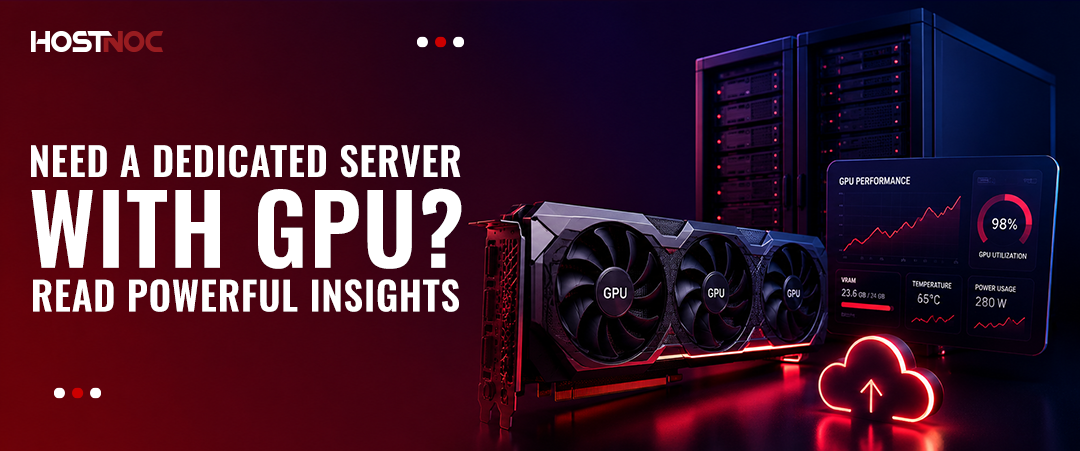
A dedicated server with GPU gives you exclusive, single-tenant access to a physical machine equipped with one or more GPUs. These servers deliver the parallel processing power required for AI training, deep learning, HPC, 3D rendering, and gaming. Entry-level GPU dedicated servers start at approximately $45 per month, with enterprise configurations exceeding $1,000 per month depending on GPU model, VRAM, and network requirements.
A dedicated server with GPU gives you exclusive, single-tenant access to a physical machine equipped with one or more GPUs. These servers deliver the parallel processing power required for AI training, deep learning, HPC, 3D rendering, and gaming. Entry-level GPU dedicated servers start at approximately $45 per month, with enterprise configurations exceeding $1,000 per month depending on GPU model, VRAM, and network requirements.
Table of Contents
- Key Takeaways:
- What Is a Dedicated Server With GPU?
- Dedicated Server With GPU vs. Cloud GPU: Which Is Right for You?
- GPU Model Comparison: Which GPU Fits Your Workload?
- How Much GPU Memory Do You Need?
- Leading GPU Manufacturers and Ecosystems
- Use Cases for Dedicated Servers With GPU
- Key Considerations When Choosing a Dedicated Server With GPU
- Example GPU Dedicated Server Configurations
- GPU Dedicated Server Cost by GPU Model
- How to Configure a GPU Dedicated Server: Step-by-Step
- Common Mistakes When Using GPU-Dedicated Servers
- Dedicated Server With GPU for Specific Industries
- Expert Insights: What Practitioners Know That Guides Rarely Cover
- When a Dedicated GPU Server Is Not the Right Choice?
- Signs You Need a GPU-Dedicated Server
- Conclusion
Key Takeaways:
- GPU dedicated servers use a parallel processing architecture to handle matrix operations up to 100x faster than CPU-only servers.
- NVIDIA A100, H100, and RTX 6000 Ada are the leading GPU models for AI/ML workloads in 2025-2026.
- Single-tenant isolation eliminates the “noisy neighbor” problem common in cloud GPU instances.
- NVMe SSD storage is essential for GPU servers; data loading bottlenecks eliminate GPU performance gains.
- Match GPU VRAM to your model size before evaluating any other spec: a mismatch forces expensive workarounds.
- GPU dedicated servers cost more upfront than cloud GPUs but deliver better price-per-performance for continuous, long-running workloads.
What Is a Dedicated Server With GPU?
A dedicated server with GPU is a single-tenant, bare-metal machine equipped with one or more Graphics Processing Units alongside a high-core-count CPU, high-capacity RAM, and fast NVMe or SSD storage. The entire physical server is allocated to one customer, with no resource sharing with other tenants.
Unlike a CPU, which contains 8 to 128 processing cores optimized for sequential tasks, a modern GPU contains thousands of smaller CUDA or stream processors designed to execute thousands of operations simultaneously. This parallel architecture makes GPUs 10 to 100 times faster than CPUs for matrix multiplications, tensor operations, and other computations common in machine learning and graphics rendering.
The key distinction from a cloud GPU instance is control. On a dedicated GPU server, you choose the operating system, kernel version, CUDA driver stack, and hardware configuration. There are no shared resources, no hypervisor overhead, and no variable performance caused by neighboring tenants.

Dedicated Server With GPU vs. Cloud GPU: Which Is Right for You?
Both options serve GPU workloads, but they suit different scenarios. The table below summarizes the core differences.
| Factor | Dedicated GPU Server | Cloud GPU Instance |
| Tenancy | Single-tenant bare metal | Shared or dedicated |
| Performance consistency | Steady, predictable | Variable under load |
| CUDA driver control | Full root access | Limited by the provider |
| Cost model | Fixed monthly or hourly | Per-second/per-hour |
| Best for | Long-running, continuous jobs | Short bursts, experiments |
| Egress fees | Typically included or low | Significant at scale |
| Provisioning speed | Minutes to hours | Seconds |
| Multi-GPU scaling | NVLink / NVSwitch available | Limited by instance size |
Choose a dedicated GPU server when workloads run continuously, when data egress volumes are large, or when full control over the software stack is required.
Choose a cloud GPU instance for one-off experiments, unpredictable burst workloads, or when you need provisioning in under a minute.
For a broader comparison of dedicated and cloud infrastructure, see our guide on dedicated server vs cloud server.
GPU Model Comparison: Which GPU Fits Your Workload?
Choosing the wrong GPU is the most common and expensive mistake when provisioning a dedicated GPU server. The correct starting point is always VRAM capacity, not clock speed.
| GPU Model | VRAM | Architecture | Best Use Case | Tier |
| NVIDIA H100 SXM5 | 80 GB HBM3 | Hopper | Large-model training, LLM inference | Enterprise |
| NVIDIA A100 SXM4 | 80 GB HBM2e | Ampere | AI training, HPC, scientific computing | Enterprise |
| NVIDIA A40 | 48 GB GDDR6 | Ampere | Inference, rendering, visualization | Professional |
| NVIDIA RTX 6000 Ada | 48 GB GDDR6 | Ada Lovelace | 3D rendering, VFX, mixed workloads | Professional |
| NVIDIA A10 | 24 GB GDDR6 | Ampere | Inference, fine-tuning, lighter training | Mid-range |
| NVIDIA RTX 4000 Ada | 20 GB GDDR6 | Ada Lovelace | Rendering, inference, development | Mid-range |
| NVIDIA Tesla T4 | 16 GB GDDR6 | Turing | Inference, video transcoding | Entry |
Key rule: A 7-billion-parameter model in FP16 precision requires approximately 14 GB of VRAM. A 70-billion-parameter model requires approximately 140 GB, which necessitates multi-GPU configurations with NVLink or NVSwitch.
How Much GPU Memory Do You Need?
For AI, rendering, and scientific workloads, VRAM is often the most important GPU specification. If your workload exceeds available VRAM, performance can degrade significantly due to memory offloading.
| Workload | Recommended VRAM |
| Small AI Models | 8–16 GB |
| Stable Diffusion | 12–24 GB |
| Llama 7B | 16–24 GB |
| Llama 13B | 24–48 GB |
| Llama 70B | 140 GB+ |
| Video Rendering | 16–48 GB |
| Scientific Simulations | 40–80 GB |
As a general rule, always choose a GPU with at least 20–30% more VRAM than your current workload requires. This provides room for future model growth, larger batch sizes, and additional processing overhead.

Leading GPU Manufacturers and Ecosystems
Choosing the right GPU ecosystem is just as important as selecting the right hardware. While NVIDIA dominates the AI and HPC market, AMD and Intel continue expanding their GPU offerings for machine learning, rendering, and enterprise computing.
NVIDIA
NVIDIA remains the market leader for AI, deep learning, and GPU-accelerated computing. Its CUDA ecosystem is the industry standard for machine learning frameworks such as TensorFlow, PyTorch, RAPIDS, and NVIDIA NeMo. GPUs such as the H100, A100, RTX 6000 Ada, and A40 power everything from generative AI platforms to scientific supercomputers.
Best for: AI training, LLM inference, deep learning, HPC, rendering.
AMD
AMD offers competitive GPU solutions through its ROCm (Radeon Open Compute) platform. ROCm provides an open-source alternative to CUDA and supports frameworks such as TensorFlow and PyTorch. AMD Instinct accelerators are increasingly used in research environments, supercomputing clusters, and enterprise AI deployments.
Best for: Open-source AI infrastructure, HPC, scientific computing, cost-conscious GPU deployments.
Intel
Intel has entered the AI accelerator market with its Gaudi AI processors and Max Series GPUs. Intel Gaudi accelerators are designed specifically for large-scale AI training and inference workloads, offering strong performance-per-dollar for enterprise deployments.
Best for: Enterprise AI training, inference clusters, hybrid Intel infrastructure environments.
When selecting a dedicated GPU server, consider not only raw performance but also software compatibility, framework support, and long-term ecosystem maturity.
Use Cases for Dedicated Servers With GPU
1. Artificial Intelligence and Machine Learning
AI and ML model training is the dominant use case for GPU dedicated servers in 2025-2026. Training a large language model requires thousands of forward and backward passes through billions of parameters. GPUs perform the matrix multiplications and gradient computations at speeds that CPUs cannot approach.
TensorFlow and PyTorch, the two leading deep learning frameworks, both use CUDA to dispatch computation to NVIDIA GPUs. A single NVIDIA A100 with 80 GB of VRAM completes a BERT-large fine-tuning run in approximately 20 minutes on a standard NLP dataset, compared to several hours on a CPU-only server.
Primary workloads: LLM fine-tuning, image classification, natural language processing, recommendation systems, and computer vision pipelines.
For research and production AI deployments, explore a dedicated server for AI configurations purpose-built for these workloads.
2. High-Performance Computing (HPC)
Scientific research, genomics, climate modeling, computational fluid dynamics, and financial simulations all fall under HPC. These workloads involve processing massive datasets through parallelizable algorithms, exactly where GPU acceleration delivers the most impact.
GPU-accelerated molecular dynamics simulations can deliver several times to dozens of times faster performance than CPU-only environments, often reducing compute times from days to hours depending on workload characteristics. For organizations handling large analytical datasets, our dedicated server for big data analytics provides complementary infrastructure context.
3. 3D Rendering and Video Production
Visual effects studios, architectural visualization firms, and animation houses use GPU-dedicated servers to reduce render times from days to hours. The NVIDIA RTX 6000 Ada, with 48 GB of GDDR6 VRAM, handles complex scene rendering in Blender, V-Ray, Octane, and Unreal Engine 5 without frame buffer overflow issues.
For video editing and post-production workflows, a dedicated server for video editing provides specific hardware and software recommendations.
4. Game Server Hosting
Multiplayer game servers and virtual reality environments require GPU resources for physics simulation, real-time rendering, and low-latency response at scale. NVIDIA RTX series GPUs handle multiple concurrent players in graphically intensive environments while maintaining frame times under 16 milliseconds at 60 fps.
For game-specific infrastructure, see our dedicated server for FiveM guide as a practical reference.
5. Generative AI and LLM Hosting
Generative AI workloads are now one of the fastest-growing use cases for GPU-dedicated servers. Large Language Models (LLMs) and image-generation platforms require substantial GPU memory, high-speed storage, and consistent compute performance.
Popular AI models include:
- Llama
- Mistral
- DeepSeek
- Qwen
- Stable Diffusion
Dedicated GPU servers allow organizations to run these models privately without sharing resources with other tenants. This provides better performance consistency, stronger data privacy, and predictable operating costs compared to public cloud environments.
Organizations deploying AI-powered chatbots, document analysis systems, recommendation engines, image generation platforms, and internal AI assistants increasingly rely on dedicated GPU infrastructure to support production workloads.
6. Inference at Scale
Inference, running trained models against live user requests, is increasingly moving from cloud to dedicated GPU servers as organizations scale. A dedicated NVIDIA A10 (24 GB VRAM) handles approximately 2,000 to 5,000 inference requests per second for a mid-sized transformer model, with consistent latency under 50 milliseconds, something shared cloud infrastructure rarely guarantees.
Key Considerations When Choosing a Dedicated Server With GPU
1. Start With VRAM, Not Clock Speed
VRAM is the binding constraint for GPU workloads. If the model does not fit in VRAM, the workload fails or forces memory offloading that eliminates the performance advantage of having a GPU at all.
Calculate required VRAM using this formula: Parameters x Precision bytes / 1,073,741,824 = VRAM in GB. A 13B parameter model in FP16 (2 bytes per parameter) requires approximately 24.3 GB of VRAM. Add 20% buffer for optimizer states and activations during training.
2. Storage Type Directly Impacts GPU Utilization
A GPU capable of processing 10 TB of data per day delivers zero benefit if the storage layer can only supply 500 GB per day. NVMe SSDs deliver sequential read speeds of 6,000 to 7,000 MB/s, compared to 500 to 600 MB/s from SATA SSDs. Pairing a high-end GPU with SATA storage is one of the most common and expensive misconfigurations.
For a detailed storage performance comparison, see our SSD vs NVMe dedicated server guide.
3. CPU and RAM Must Match GPU Throughput
The CPU handles data preprocessing, batching, and memory transfers between system RAM and GPU VRAM. An underpowered CPU creates a bottleneck that keeps the GPU idle during data loading phases. For large training jobs, target a minimum of 4 to 8 CPU cores per GPU, and 4 to 8 GB of system RAM per GB of GPU VRAM.
4. Network Bandwidth for Distributed Training
Multi-GPU training across servers requires high-bandwidth, low-latency interconnects. On a single node, NVLink or NVSwitch provides GPU-to-GPU bandwidth of 600 GB/s to 900 GB/s (NVIDIA H100). Across nodes, InfiniBand HDR delivers 200 Gb/s, while standard 10 GbE is insufficient for large distributed training runs.
5. Cooling and Power Requirements
A single NVIDIA H100 SXM5 has a thermal design power (TDP) of 700 watts. A 4-GPU server draws approximately 3,000 watts under full load, excluding the CPU, RAM, and storage subsystems. Ensure the data center offers adequate power density (10 kW to 30 kW per rack is typical for GPU workloads) and active cooling or liquid cooling infrastructure.
6. Managed vs. Unmanaged Configurations
Unmanaged GPU dedicated servers give you root access and full control but require in-house expertise to configure CUDA drivers, container runtimes (Docker, Singularity), and GPU monitoring tools (NVIDIA DCGM, nvidia-smi). Managed configurations add administration overhead but eliminate driver compatibility failures.
For guidance on the management decision, see our managed vs unmanaged server hosting comparison.

Example GPU Dedicated Server Configurations
The right hardware configuration depends on workload complexity, dataset size, and expected growth. The examples below provide a practical starting point.
Entry-Level AI Server
- NVIDIA Tesla T4
- AMD EPYC 7313
- 64 GB RAM
- 1 TB NVMe SSD
- Ubuntu Server
Ideal for: Inference workloads, development environments, lightweight machine learning projects, and AI experimentation.
Professional AI Server
- NVIDIA A40 (48 GB VRAM)
- AMD EPYC 7443
- 256 GB RAM
- 2× NVMe SSD
- Ubuntu Server
Ideal for: Fine-tuning LLMs, computer vision projects, rendering, and production AI deployments.
Enterprise AI Training Server
- 4× NVIDIA H100
- AMD EPYC 9654
- 1 TB RAM
- NVSwitch Interconnect
- Enterprise NVMe Storage Array
Ideal for: Large language model training, multi-GPU deep learning, HPC, and enterprise AI research.
GPU Dedicated Server Cost by GPU Model
Pricing varies based on hardware generation, storage, bandwidth allocation, and management level. The table below provides general market ranges.
| GPU Model | Typical Monthly Cost |
| Tesla T4 | $45–$150 |
| RTX 4000 Ada | $100–$250 |
| NVIDIA A10 | $250–$500 |
| NVIDIA A40 | $400–$800 |
| RTX 6000 Ada | $600–$1,200 |
| NVIDIA A100 | $1,000–$3,000 |
| NVIDIA H100 | $3,000–$8,000+ |
Higher-end deployments often include multiple GPUs, enterprise networking, advanced storage configurations, and managed services, increasing total infrastructure costs.
How to Configure a GPU Dedicated Server: Step-by-Step
- Define the workload type. Is it training, inference, rendering, or HPC? Each has different VRAM, compute, and I/O requirements.
- Estimate VRAM requirements. Use the parameter-count formula above. Add buffer for activations and optimizer states.
- Select the GPU model. Match VRAM first, then consider FP32/FP16/BF16 tensor core throughput.
- Choose CPU and RAM. Target 4 to 8 cores per GPU, 64 GB of RAM minimum for a single A100 or H100.
- Select storage. NVMe SSD with 2 TB minimum for most AI workloads. Use RAID 0 for maximum throughput or RAID 1 for redundancy.
- Determine network requirements. For single-server workloads, 1 Gbps is sufficient. For distributed training, 25 Gbps or InfiniBand is recommended.
- Choose managed or unmanaged. Determine whether your team can handle OS provisioning, driver management, and system administration.
- Run a benchmark before committing. Test with your actual model, batch size, and data pipeline before scaling to production.
Common Mistakes When Using GPU-Dedicated Servers
Mistake 1: Choosing a GPU model before confirming VRAM. A GPU with insufficient VRAM forces CPU offloading, reducing effective training throughput by 90% or more.
Mistake 2: Using SATA SSDs with high-end GPUs. The storage I/O ceiling on SATA (600 MB/s) creates a data loading bottleneck that keeps GPU utilization below 50%.
Mistake 3: Ignoring driver and CUDA version compatibility. PyTorch and TensorFlow releases each require specific CUDA versions. Mismatches result in runtime failures that are time-consuming to diagnose. Always confirm the CUDA version supported by your framework before provisioning.
Mistake 4: Under-specifying system RAM. GPUs use system RAM as a staging buffer for training data. Insufficient RAM forces disk swapping, creating a bottleneck that eliminates GPU performance gains.
Mistake 5: Single-GPU for 70B+ parameter models. Models with 70 billion or more parameters in FP16 require at least 140 GB of GPU VRAM. No single consumer or prosumer GPU has this capacity; multi-GPU configurations with NVLink or NVSwitch are required.
Mistake 6: No monitoring setup. GPU dedicated servers generate heat and draw heavy power loads. Running without GPU utilization monitoring (nvidia-smi, DCGM) and temperature alerts is a reliability risk.
Dedicated Server With GPU for Specific Industries
Different industries have unique GPU requirements. The table below maps common business use cases to recommended infrastructure priorities.
| Industry | AI/GPU Use Cases | Priority Specification |
| Healthcare | Medical image analysis, diagnostics AI, radiology models | High-VRAM GPUs, compliance-focused infrastructure |
| Financial Services | Fraud detection, algorithmic trading, risk analysis | Low-latency networking, ECC memory |
| Retail & eCommerce | Recommendation engines, visual search, and customer analytics | Inference-optimized GPUs |
| Manufacturing | Predictive maintenance, quality inspection, and industrial automation | Reliable compute and edge integration |
| Cybersecurity | Threat detection, anomaly detection, malware classification | Fast inference and large datasets |
| Media & Entertainment | VFX rendering, video processing, and content generation | RTX 6000 Ada, NVMe RAID |
| Education & Research | Model training, simulations, academic research | Cost-efficient GPU configurations |
| Software Development | AI-powered applications, testing, inference APIs | Flexible GPU infrastructure |
For industry-specific guidance, explore dedicated server solutions for healthcare, fintech, media, software development, and eCommerce environments.

Expert Insights: What Practitioners Know That Guides Rarely Cover
CUDA Compute Capability matters for newer frameworks. PyTorch 2.x requires CUDA Compute Capability 3.7 or higher. Older GPUs (pre-Pascal architecture) will not run modern frameworks without significant workarounds.
Multi-Instance GPU (MIG) on A100 and H100. NVIDIA’s MIG feature partitions a single GPU into up to 7 isolated instances, each with dedicated VRAM, compute, and bandwidth. This allows a single H100 to serve 7 separate inference workloads with hardware-level isolation, increasing utilization for inference-heavy operations.
FP8 training on H100 halves VRAM requirements. The NVIDIA H100 supports FP8 (8-bit floating point) training, which reduces the memory footprint of training runs by approximately 50% compared to FP16. This allows larger models to fit in a single GPU or reduces the number of GPUs required.
Thermal throttling begins before shutdown. NVIDIA GPUs begin thermal throttling at 83 degrees Celsius, reducing clock speeds before the 90-degree emergency shutdown threshold. In data centers with poor airflow, sustained workloads that appear to complete correctly can be running at 60 to 80% of rated performance due to unreported thermal throttling.
Container runtimes simplify driver management. Running GPU workloads in Docker containers with NVIDIA Container Toolkit (nvidia-docker2) decouples the CUDA application version from the host driver version, reducing driver compatibility failures significantly.
When a Dedicated GPU Server Is Not the Right Choice?
GPU dedicated servers are not the optimal solution for every workload. Avoid them when:
- Workloads run for fewer than 100 hours per month. At low utilization, cloud GPU spot instances deliver better cost efficiency.
- The application is not GPU-accelerated. Many web servers, database engines, and general business applications have no GPU code path and gain nothing from GPU hardware.
- The team lacks the expertise to manage CUDA drivers, GPU monitoring, and multi-GPU configurations. Mismanaged GPU servers frequently underperform cloud alternatives.
- You need provisioning in under 5 minutes. Dedicated server provisioning typically takes 15 minutes to several hours, depending on the provider and configuration.
For lighter compute needs, explore whether VPS hosting or a semi-dedicated server better fits your requirements.
Signs You Need a GPU-Dedicated Server
Not every workload requires dedicated GPU infrastructure. However, the following indicators suggest it may be time to upgrade:
- AI training jobs exceed the capabilities of local workstations.
- Cloud GPU costs have become difficult to predict or control.
- Your models require more than 24 GB of GPU memory.
- Inference latency is affecting user experience or application responsiveness.
- Regulatory or compliance requirements demand dedicated infrastructure.
- Large datasets are creating bottlenecks in shared environments.
- Continuous GPU utilization makes cloud pricing less cost-effective than dedicated hardware.
- Multiple teams need reliable access to GPU resources simultaneously.
If several of these conditions apply to your organization, a dedicated GPU server can provide better performance, cost efficiency, and operational control than shared or cloud-based alternatives.
Conclusion
A dedicated server with GPU is the correct infrastructure choice for workloads requiring sustained, high-throughput parallel computation. AI model training, HPC simulations, 3D rendering, and large-scale inference all perform at a fundamentally different level on GPU-equipped bare-metal hardware compared to CPU-only servers or shared cloud instances.
The selection process starts with VRAM, not GPU brand or clock speed. Confirm the model fits, then evaluate NVMe storage, CPU core count, network bandwidth, and cooling capacity. Match the configuration to the workload duration: continuous jobs justify dedicated hardware; short experiments are better served by cloud GPU instances.
As AI model sizes continue to grow, the demand for dedicated GPU servers with high-VRAM configurations will expand alongside it. Organizations that build GPU infrastructure now, configured correctly for their specific workloads, gain a compounding advantage in both performance and operational efficiency.
To explore dedicated server options suited to your workload, start with our best dedicated server guide or review our types of dedicated servers overview for a broader context.
Frequently Asked Questions About Dedicated Server With GPU

What is a dedicated server with a GPU?
A dedicated server with a GPU is a single-tenant, bare-metal machine equipped with one or more Graphics Processing Units. The entire physical server is reserved for one user, providing exclusive access to GPU resources, CPU, RAM, and storage without sharing with other tenants.
How much does a GPU dedicated server cost?
Entry-level GPU dedicated servers with older-generation NVIDIA GPUs (T4, RTX 4000) start at approximately $45 to $200 per month. Mid-range configurations with A10 or RTX 6000 Ada GPUs range from $300 to $700 per month. Enterprise-grade servers with A100 or H100 GPUs typically cost $1,000 to $5,000 or more per month depending on VRAM, CPU, and network configuration.
What is the difference between a GPU server and a CPU server?
A GPU server contains one or more Graphics Processing Units alongside the CPU. GPUs have thousands of small cores optimized for parallel computation, making them 10 to 100 times faster than CPUs for matrix operations, deep learning, and rendering tasks. CPU servers are better for sequential, low-latency tasks and general business applications.
Which GPU is best for AI and machine learning?
The NVIDIA A100 (80 GB HBM2e) and H100 (80 GB HBM3) are the leading GPUs for large-scale AI training in 2025-2026. For inference workloads, the A10 (24 GB) and T4 (16 GB) offer better price-per-inference performance. For mixed training and inference, the A40 (48 GB) and RTX 6000 Ada (48 GB) provide versatility.
Do I need a managed or unmanaged GPU server?
Choose managed if your team lacks experience with CUDA driver installation, container runtime configuration, or GPU monitoring. Choose unmanaged if you have DevOps expertise and need full control over the software stack, including kernel version, CUDA version, and system configuration.
How much VRAM do I need for AI model training?
Calculate VRAM requirements using: Parameters x 2 bytes (FP16) / 1,073,741,824 = minimum VRAM in GB, then add 20 to 30% for activations and optimizer states. A 7B parameter model requires approximately 17 to 20 GB. A 13B model requires 30 to 36 GB. A 70B model requires at least 160 GB, requiring multi-GPU configurations.
What storage type works best with GPU dedicated servers?
NVMe SSDs are the correct choice for GPU workloads. NVMe delivers sequential read speeds of 6,000 to 7,000 MB/s, compared to 500 to 600 MB/s from SATA SSDs. Using SATA storage with a high-end GPU creates a data loading bottleneck that reduces GPU utilization to 40 to 60% of the theoretical peak.
Can a GPU dedicated server run multiple workloads simultaneously?
Yes. Using NVIDIA’s Multi-Instance GPU (MIG) feature on A100 and H100 GPUs, a single physical GPU partitions into up to 7 isolated instances, each with dedicated VRAM and compute resources. Without MIG, GPU time-slicing allows multiple processes to share a GPU, though without memory isolation.
Is a dedicated GPU server better than AWS or Google Cloud GPU instances?
For continuous, long-running workloads exceeding 700 to 800 hours per month, dedicated GPU servers are typically 50 to 70% more cost-effective than equivalent on-demand cloud GPU instances. Cloud GPUs offer advantages for burst workloads, rapid provisioning, and managed infrastructure services.
What operating systems support GPU dedicated servers?
Ubuntu (20.04 LTS, 22.04 LTS, 24.04 LTS) and CentOS Stream are the most common Linux distributions for GPU servers due to strong NVIDIA driver support and container runtime compatibility. Windows Server is supported for GPU workloads but requires additional CUDA licensing in some configurations.
How do I monitor GPU performance on a dedicated server?
Use nvidia-smi for real-time GPU utilization, memory usage, and temperature monitoring. NVIDIA DCGM (Data Center GPU Manager) provides enterprise-grade monitoring, health checks, and diagnostic capabilities. Third-party tools such as Grafana with the DCGM exporter provide dashboard-based monitoring for production environments.
What cooling requirements do GPU dedicated servers have?
A single NVIDIA H100 SXM5 has a TDP of 700 watts. A 4-GPU server configuration draws 3,000 to 4,000 watts under sustained load. Ensure your hosting provider supports high-density power delivery (10-30 kW per rack) and active or liquid cooling. GPU temperature should remain below 83 degrees Celsius to avoid thermal throttling.

Featured Post

Dedicated Servers for App Deployment: A Deep Technical Guide
As modern applications grow in complexity, microservices, real-time APIs, and AI workloads, developers often hit a ceiling with shared hosting or even virtual private servers. Performance […]

Sarmad Hasan
June 15, 2026

Ultimate Dedicated Server With Dedicated IP 2026 Guide
Table of Contents Key Takeaways What Is a Dedicated Server with Dedicated IP? Leading Providers in Dedicated Hosting Improved Email Deliverability and Reputation Enhanced Security and […]
Sarmad Hasan
June 1, 2026

Dedicated Server for AI: A Comprehensive Guide
Table of Contents Key Takeaways What is a Dedicated Server for AI? Why Do AI Workloads Need Dedicated Servers? 1. High Computational Demand 2. Large Dataset […]
Sarmad Hasan
May 20, 2026





