
Blogs
on
Managed vs Unmanaged Server: Which One Is Truly Better?
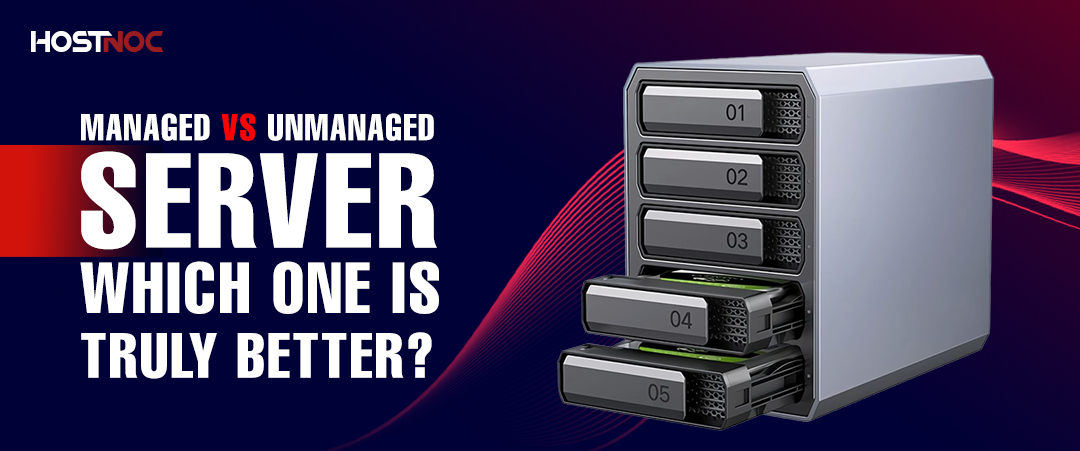
A managed server is fully maintained by your hosting provider, ideal for businesses without in-house IT expertise. An unmanaged server gives you full control at a lower cost, but requires your team to handle all configuration, security, and maintenance. Choose based on your technical capacity and budget.
| A managed server is fully maintained by your hosting provider, ideal for businesses without in-house IT expertise. An unmanaged server gives you full control at a lower cost, but requires your team to handle all configuration, security, and maintenance. Choose based on your technical capacity and budget. |
Key Takeaways
- Managed servers include full support: hardware setup, OS updates, security patching, monitoring, and 24/7 technical assistance.
- Unmanaged servers cost 30–50% less but require in-house expertise to configure, secure, and maintain.
- The right choice depends on three factors: your team’s technical skill, your security requirements, and your monthly budget.
- Managed servers eliminate downtime risk caused by misconfigured software or missed security patches.
- Unmanaged servers deliver complete customization freedom, install any OS, software stack, or configuration without restriction.
- Businesses processing payments or handling health data benefit most from managed hosting due to compliance requirements (PCI-DSS, HIPAA).
- If your team cannot answer ‘yes’ to all four self-management questions, a managed server is the safer and more cost-effective long-term investment.
What Is a Managed Dedicated Server?
A managed dedicated server is a physical server where the hosting provider takes full responsibility for setup, configuration, monitoring, security, and maintenance.
You receive all the performance benefits of a dedicated server without handling any of the day-to-day technical operations. Specialized engineers manage your infrastructure 24/7, so your team can focus entirely on your business.
This option suits businesses that need enterprise-grade performance but do not have the internal IT capacity to manage server operations independently.
What a Managed Server Provider Does for You
When you deploy a managed dedicated server, expect your provider to handle all of the following:
- Configure the server hardware, OS, and control panel during the initial setup.
- Apply all security patches and OS updates automatically, no manual intervention required.
- Monitor server health 24/7, including CPU, RAM, disk I/O, and network performance.
- Respond to hardware failures, often within 1–4 hours under standard SLAs.
- Manage firewalls, DDoS mitigation, and intrusion detection systems.
- Back up your data and restore it reliably when needed.
- Support your control panel, essential services, and CMS platforms included in your plan.
- Deliver consistent communication if an issue is discovered or a ticket is submitted.
Pros and Cons of Managed Dedicated Servers
|
Pros |
Cons |
|
No technical expertise required |
Higher monthly cost ($150–$500+) |
|
24/7 expert monitoring and support |
Less direct control over configurations |
|
Automatic security patching |
Limited deployment flexibility on some plans |
|
Faster incident resolution |
Provider restrictions on certain software |
|
Built-in DDoS and firewall protection |
What Is an Unmanaged Dedicated Server?
An unmanaged dedicated server provides you with the physical hardware and network connectivity; everything else is your responsibility.
The hosting provider maintains the data center infrastructure, hardware components, and network uptime. Your team handles the operating system, software stack, security configuration, updates, monitoring, and all ongoing maintenance.
This option delivers complete control at a lower cost, but it requires your team to have strong Linux or Windows server administration skills.

What an Unmanaged Server Provider Covers
An unmanaged dedicated server provider is responsible for:
- Network connectivity and bandwidth provisioning.
- Physical hardware maintenance and replacement.
- Data center infrastructure, power, cooling, and physical security.
- System-level hardware monitoring for server uptime.
An unmanaged server provider does not cover:
- OS installation, configuration, or updates
- Security patching or firewall setup
- Software installation or third-party application configuration
- WordPress themes, plugins, or CMS customizations
- Custom .htaccess rules or coding assistance
- Control panel setup or management
Pros and Cons of Unmanaged Dedicated Servers
|
Pros |
Cons |
|
Lower base cost ($80–$250/month) |
Requires strong technical expertise |
|
Complete control over hardware and software |
High administrative overhead |
|
Install any OS, stack, or custom software |
All security patching is manual |
|
No restrictions on configurations |
Longer incident resolution time |
|
Ideal for highly specialized environments |
No software-level support included |
Managed vs. Unmanaged Server: Key Differences
The following table summarizes every major differentiating factor between managed and unmanaged dedicated servers:
|
Factor |
Managed Server |
Unmanaged Server |
|
Management |
Provider handles everything |
You handle everything |
|
Technical Skill Required |
None required |
Linux/Windows admin skills |
|
Monthly Cost |
$150–$500+ |
$80–$250 |
|
Security Updates |
Automatic by the provider |
Manual your responsibility |
|
Support Scope |
Hardware + software + config |
Hardware & network only |
|
Customization |
Limited by provider policies |
Complete freedom |
|
Best For |
SMBs, e-commerce, non-tech teams |
Dev teams, enterprises with IT staff |
Support
Support is the most significant difference between the two options.
A managed server provider covers both infrastructure support (hardware failures, network issues) and full software support, including OS troubleshooting, security configuration, performance optimization, and 24/7 incident response.
An unmanaged server provider covers infrastructure only. If your web server crashes due to a misconfigured NGINX rule or a missed security patch, resolution is entirely your team’s responsibility.
Price
Managed servers cost 30–50% more per month than equivalent unmanaged configurations.
Unmanaged dedicated servers start at approximately $80–$250/month. Managed servers with equivalent hardware typically range from $150–$500+/month. The cost difference reflects the provider’s labor monitoring, patching, and support staff.
If your team can handle server management in-house, the cost savings are real. If you need to hire external support to make up for it, the savings disappear quickly.
Control
Unmanaged servers deliver the highest level of control available in dedicated hosting.
You configure every layer of the server kernel parameters, firewall rules, software versions, cron jobs, and network settings. There are no provider restrictions on what you install or how you configure it.
Managed servers offer substantial control over your applications and databases, but the provider manages OS-level configurations and may restrict certain software installations based on security or support policies.
Maintenance
With a managed server, the provider owns all maintenance responsibilities.
Security patches, OS updates, hardware replacements, and performance monitoring are handled automatically. You receive alerts and reports without performing the underlying work.
With an unmanaged server, your team schedules and executes every maintenance task. A missed security patch or delayed update creates real vulnerability windows that attackers actively exploit.
Managed vs. Unmanaged Server: Which One Should You Choose?
The right choice depends entirely on your team’s capabilities, your business requirements, and the balance between the control you need and the time and expertise you can invest.
Answer These Four Questions First
Before choosing, answer each question honestly:
- Can your team install and maintain all required software and applications without external assistance?
- Can your team ensure the security of the server and its data, including patch management and firewall configuration?
- Can your team quickly troubleshoot misconfigured software issues to prevent revenue loss?
- Can your team handle all server administration, monitoring, and maintenance as an ongoing operational responsibility?
| Decision Rule: If you answer ‘no’ to any of the above, a managed dedicated server is the right choice. The additional monthly cost is far lower than the risk of downtime, data breaches, or emergency support fees. |

Quick Decision Guide
|
Choose Managed If… |
Choose Unmanaged If… |
|
You have no in-house IT team |
You have experienced sysadmins on staff |
|
You run an e-commerce or SaaS platform |
You need full-stack customization |
|
Compliance is a priority (HIPAA, PCI) |
You want the lowest possible base cost |
|
Uptime directly impacts revenue |
You run complex, non-standard environments |
|
You want 24/7 expert monitoring |
Your team prefers direct server control |
Choose Managed If You Run:
- An e-commerce store processing daily transactions (PCI-DSS compliance applies)
- A SaaS application where downtime directly equals lost revenue and churn
- A healthcare platform handling patient data (HIPAA compliance required)
- A business without a dedicated server administration staff
- A site generating enough revenue that 1 hour of downtime costs more than the monthly hosting fees
Choose Unmanaged If You Run:
- A software development team with experienced Linux or Windows system administrators
- A technical startup requiring a completely custom server environment
- An enterprise with a dedicated IT operations team handling infrastructure
- A business with unique software stacks or configurations not supported by managed plans
- An operation where minimizing base infrastructure cost is the primary objective
Frequently Asked Questions About Managed vs Unmanaged Server

What is the difference between a managed and an unmanaged server?
A managed server includes full provider support for setup, security, monitoring, and maintenance. An unmanaged server provides hardware and network connectivity; your team handles all software, configuration, and security. The key difference is who is responsible for keeping the server running.
Is a managed server more expensive than an unmanaged server?
Yes. Managed servers typically cost 30–50% more per month. Unmanaged dedicated servers start at $80–$250/month, while managed equivalents range from $150–$500+. The premium covers 24/7 monitoring, security patching, and expert support costs that unmanaged users absorb internally through IT staff time.
Which server type is better for small businesses?
Managed servers are the better choice for most small businesses. Without a dedicated IT team, managing server security, updates, and incidents requires skills most small businesses do not have in-house. A managed server eliminates that risk and delivers enterprise-level reliability without requiring technical staff.
Do I need technical knowledge to use an unmanaged dedicated server?
Yes, strong Linux or Windows server administration skills are required. You must be able to configure firewalls, apply security patches, install and maintain software, troubleshoot performance issues, and monitor the server independently. If these tasks are unfamiliar, an unmanaged server creates significant operational and security risk.
What does a managed server provider actually manage?
A managed server provider handles hardware setup, OS installation and updates, security patching, firewall configuration, DDoS protection, 24/7 monitoring, data backups, and incident response. Depending on the plan, support also extends to control panel management, essential service configuration, and assistance with CMS platforms.
Can I switch from an unmanaged server to a managed server later?
Yes, most hosting providers offer upgrade paths from unmanaged to managed plans. The migration typically involves configuring the managed layer on your existing server or migrating to a new managed instance. Plan the transition during a low-traffic period to minimize disruption, and back up all data before initiating any server migration.
Which server type is more secure?
A properly managed server is typically more secure for most businesses. Managed servers receive automatic security patches, professional firewall configurations, and 24/7 threat monitoring. An unmanaged server can achieve the same security level, but only if your team actively applies patches, monitors for threats, and responds quickly, which requires significant expertise and discipline.
What is the best server type for e-commerce websites?
Managed dedicated servers are the best option for e-commerce. PCI-DSS compliance, 24/7 uptime, automatic security patching, and expert support align directly with the requirements of online stores. Downtime during peak sales periods can cost thousands per hour; managed hosting reduces that risk significantly.
Does an unmanaged server include any support?
Unmanaged servers include infrastructure-level support only. This covers hardware failures, network connectivity, and data center operations. Software issues, OS configurations, security settings, application errors, and any custom software problems are entirely your team’s responsibility. No software-level support is included.
Is a managed server worth the extra cost?
For most businesses, yes, the extra cost is worth it. A single security breach or extended downtime event typically costs far more than months of managed hosting fees. If your site generates $10,000+/month in revenue, the ROI of preventing even one 2-hour outage justifies the managed hosting premium.
The Bottom Line
Choosing between a managed and unmanaged dedicated server is a business decision, not just a technical one.
| Final Tip: If you are unsure which option suits your business, start with a managed server. You can always move workloads to an unmanaged environment once your team has built the necessary infrastructure expertise. |

M Ali
Mohammad Ali is a Digital Marketing Manager at HostNoc a dedicated server ,VPS & Cloud Hosting Providing company. Blog writing is my passion i always share my knowledge and insights on the latest advancements and trends in the technology industry.
Featured Post
10 Common n8n Hosting Mistakes and How to Avoid Them
Self-hosting n8n is one of the best ways to build secure, customizable...

Faizan Irfan
August 20, 2026
Dedicated Server for Agencies: A Complete Guide
Agencies today manage multiple client websites, applications, and...

Sarmad Hasan
July 13, 2026

Does Borderlands 3 Have Dedicated Servers?
No. Borderlands 3 does not use dedicated servers. Multi player gaming sessions...

saad ullah
July 8, 2026





