
Blogs
on
GPU vs CPU: Which Powerful Choice Wins in 2026?
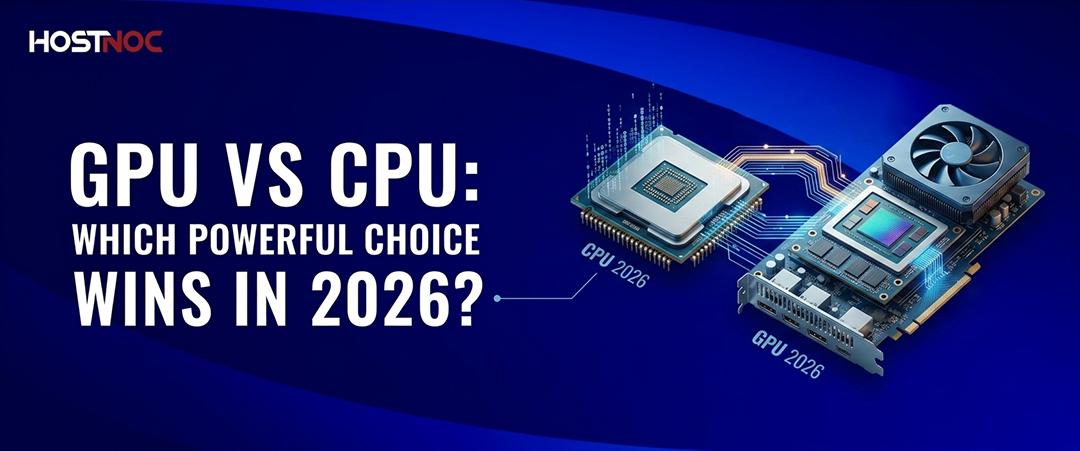
When building a computer for gaming, video editing, AI workloads or general productivity, one of the most common debates is GPU vs CPU. Many users wonder: What is the difference between CPU and GPU? While both are essential processing units inside a computer, they perform very different tasks.
Understanding the GPU vs CPU difference helps users choose the right hardware for gaming, rendering, machine learning and multitasking. Whether you are comparing a processor vs video card or deciding between a gaming GPU vs CPU upgrade, this guide explains everything in simple terms.
When building a computer for gaming, video editing, AI workloads or general productivity, one of the most common debates is GPU vs CPU. Many users wonder: What is the difference between CPU and GPU? While both are essential processing units inside a computer, they perform very different tasks.
Understanding the GPU vs CPU difference helps users choose the right hardware for gaming, rendering, machine learning and multitasking. Whether you are comparing a processor vs video card or deciding between a gaming GPU vs CPU upgrade, this guide explains everything in simple terms.
Key Takeaways:
- CPUs and GPUs serve different but equally important roles; the CPU manages system operations, multitasking, and application logic, while the GPU accelerates graphics rendering and large-scale parallel processing.
- Choosing between a CPU and a GPU upgrade depends on your workload. Gamers, video editors, and AI professionals typically see greater performance gains from a stronger GPU, while productivity users often benefit more from a faster CPU.
- Gaming performance relies on a balanced CPU-GPU combination. A powerful graphics card improves frame rates and visual quality, but an underpowered CPU can create bottlenecks that limit overall performance.
- GPUs have become essential beyond gaming, powering AI training, machine learning, 3D rendering, and high-resolution video editing through their ability to process thousands of tasks simultaneously.
- Modern computers achieve the best results when CPUs and GPUs work together. A well-matched system minimizes bottlenecks, improves efficiency, and delivers smoother performance across demanding workloads.
- Understanding the GPU vs CPU difference helps you make smarter hardware decisions, ensuring you invest in the right component for your performance goals, budget, and future computing needs.
What Is a CPU?
A CPU (Central Processing Unit) is often called the brain of the computer. It handles general-purpose processing and executes instructions from programs and operating systems.
The CPU is responsible for:
- Running the operating system
- Managing applications
- Performing calculations
- Handling multitasking
- Executing logical operations
Modern CPUs typically have between 4 and 24 cores optimized for sequential processing. This means the processor can quickly complete one task after another with high accuracy.
Key Characteristics of a CPU
- Optimized for single-thread performance
- Excellent at multitasking
- Handles system-level operations
- Lower number of powerful cores
- Essential for overall computer performance
When discussing CPU vs graphics card, remember that the CPU manages the entire system, while the graphics card specializes in rendering visuals.
What Is a GPU?
A GPU (Graphics Processing Unit) is designed for rendering images, videos, animations and parallel processing tasks. Initially created for gaming graphics, GPUs are now widely used in AI, machine learning, crypto mining and video rendering. Unlike CPUs, GPUs contain thousands of smaller cores capable of processing multiple tasks simultaneously.
Key Characteristics of a GPU
- Designed for parallel processing
- Excellent for rendering graphics
- Accelerates AI and machine learning
- Handles video editing and 3D rendering
- Contains hundreds or thousands of cores
In the video card vs processor comparison, the GPU focuses on graphics-intensive tasks while the CPU controls system operations.
Read about: Dedicated Server With GPUs: The Ultimate Guide

GPU vs CPU: Key Differences
The biggest difference in the GPU and CPU comparison lies in how they process data.
| Feature | CPU | GPU |
| Purpose | General processing | Graphics and parallel tasks |
| Number of Cores | Few powerful cores | Thousands of smaller cores |
| Speed Type | Sequential processing | Parallel processing |
| Best For | Multitasking and applications | Gaming and rendering |
| Flexibility | Highly versatile | Specialized workloads |
| Latency | Low latency | High throughput |
GPU vs CPU for Gaming
One of the most searched comparisons is processor vs GPU for gaming because gamers often struggle to decide which component matters more.
CPU in Gaming
The CPU handles:
- Game physics
- NPC behavior
- Background calculations
- Input processing
- Game logic
A weak CPU can cause bottlenecks even if you have a powerful graphics card.
GPU in Gaming
The GPU handles:
- Texture rendering
- Ray tracing
- Lighting effects
- Resolution scaling
- Frame generation
For modern AAA games, the GPU usually has the biggest impact on FPS and visual quality.
Learn about Best GPU for Gaming: 13 Killer Performance Picks
Which Is More Important?
In most gaming scenarios:
- Competitive esports titles rely more on CPU performance
- High-resolution gaming relies more on GPU power
That is why the gaming GPU vs CPU debate depends on the type of games you play.

CPU vs Graphics Card for Video Editing
In the video card vs CPU discussion for content creators:
CPU Helps With
- Timeline responsiveness
- File compression
- Encoding tasks
- Multitasking
GPU Helps With
- Rendering effects
- GPU acceleration
- Real-time previews
- 4K and 8K editing
Modern editing software such as Adobe Premiere Pro and DaVinci Resolve heavily utilizes GPUs for faster rendering.
GPU vs CPU in Artificial Intelligence
AI and machine learning workloads rely heavily on GPUs because of their parallel processing capabilities. A CPU can process AI tasks but a GPU can process thousands of operations simultaneously, dramatically improving training speed.
Why do GPUs Dominate AI?
- Faster matrix calculations
- Better neural network training
- Massive parallelism
- Reduced training time
This is a major reason why companies building AI systems prioritize GPUs over CPUs.
Can a Computer Work Without a GPU?
Yes, many computers can operate without a dedicated GPU if the CPU includes integrated graphics.
Integrated graphics are suitable for:
- Web browsing
- Office work
- Streaming videos
- Light gaming
However, demanding applications such as gaming, 3D rendering and AI workloads require a dedicated graphics card.
CPU and GPU Working Together
The best performance comes when the GPU and CPU complement each other.
For example:
- CPU prepares game data
- GPU renders graphics
- Both communicate through the RAM and the motherboard
A balanced system avoids bottlenecks where one component limits the other.
Example of Bottlenecking
- Powerful GPU + weak CPU = reduced gaming performance
- Powerful CPU + weak GPU = poor graphics rendering
This is why balanced hardware selection matters.
Which Should You Upgrade First?
The answer depends on your workload.
Upgrade Your CPU If You:
- Experience slow multitasking
- Use productivity software
- Play CPU-heavy games
- Run virtual machines
Upgrade Your GPU If You:
- Want higher gaming FPS
- Edit videos professionally
- Use 3D software
- Train AI models
In the processor vs video card comparison, gamers usually benefit more from GPU upgrades, while office users may prioritize CPU improvements.
Future of CPUs and GPUs
The future of computing increasingly combines CPU and GPU capabilities.
Modern technologies include:
- AI accelerators
- Integrated graphics improvements
- Hybrid architectures
- Shared memory systems
Companies like NVIDIA, AMD and Intel continue pushing boundaries in both CPU and GPU development. As AI and high-performance computing evolve, GPUs are becoming even more important alongside CPUs.
Learn about: AMD vs Intel CPUs Comparison
Frequently Asked Questions About GPU vs CPU

What is the difference between CPU and GPU?
The CPU handles general computing tasks and system operations while the GPU specializes in graphics rendering and parallel processing.
Which is more important for gaming: CPU or GPU?
The GPU is more important because it handles graphics rendering and frame rates. However, the CPU still manages game logic and physics.
Can a GPU replace a CPU?
No, a GPU cannot fully replace a CPU. GPUs are specialized processors designed for parallel tasks while CPUs manage overall system operations.
Is a graphics card the same as a GPU?
Not exactly. The GPU is the processing chip itself while the graphics card includes the GPU along with cooling systems, memory and circuit boards.
Do I need a dedicated GPU for everyday tasks?
No, integrated graphics are usually enough for browsing, streaming and office work.
Why are GPUs used in AI?
GPUs can process thousands of calculations simultaneously, making them ideal for machine learning and AI training.
What causes CPU or GPU bottlenecks?
A bottleneck occurs when one component is significantly weaker than the other, limiting overall system performance.
Should I upgrade my CPU or GPU first?
If you are gaming or rendering videos, upgrade the GPU first. For multitasking and productivity, upgrading the CPU may help more.

Featured Post
Bare Metal vs Cloud Computing: A Comprehensive Comparison
Key Takeaways Bare metal servers deliver maximum performance, full hardware control, and...

Sarmad Hasan
July 8, 2026
Managed vs. Unmanaged VPS: A Total Cost of Ownership (TCO) Breakdown
Choosing between managed and unmanaged VPS hosting is not just a technical...
Sarmad Hasan
July 3, 2026

Windows VPS Hosting vs Linux VPS Hosting: A Detailed Comparison
Key Takeaways VPS hosting provides dedicated resources and full server control, offering...
Sarmad Hasan
June 26, 2026





