
Blogs

10 Best Web Hosting Forums and Platforms You Should Join Right Now
December 22, 2020
The DayZ Server Hosting Guide 2026 No One Talks About
January 18, 2021
on
Is a Semi-Dedicated Server Worth It? Powerful 2026 Guide
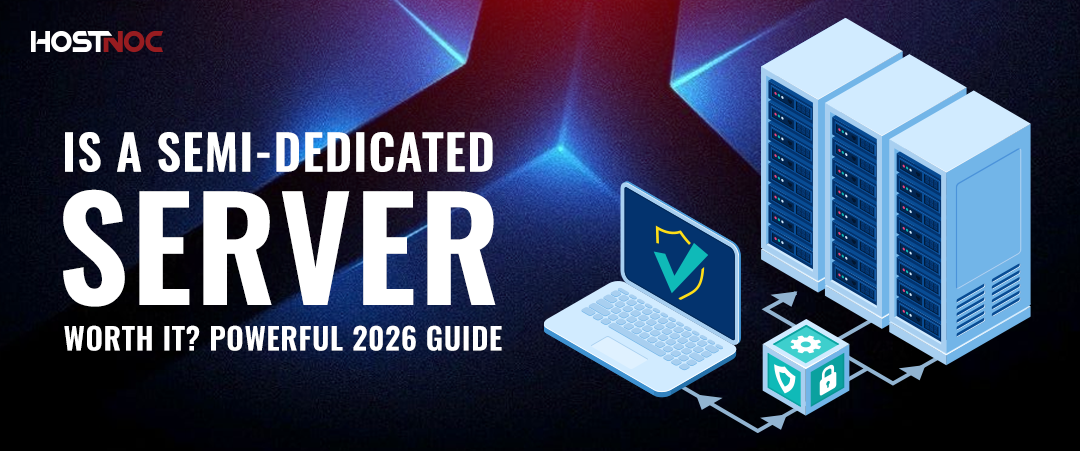
A Semi-Dedicated Server is a physical machine split among only 10 to 20 users, unlike shared hosting, which can pack in hundreds. Each of those users gets way more CPU, RAM, and storage space compared to regular shared hosting. This kind of setup sits perfectly between shared hosting and dedicated servers.
A Semi-Dedicated Server is a physical machine split among only 10 to 20 users, unlike shared hosting, which can pack in hundreds. Each of those users gets way more CPU, RAM, and storage space compared to regular shared hosting. This kind of setup sits perfectly between shared hosting and dedicated servers.
Table of Contents
- Key Takeaways
- What Is a Semi-Dedicated Server?
- How a Semi-Dedicated Server Works
- Semi-Dedicated Server vs Other Hosting Types
- 4 Advantages of Semi-Dedicated Servers
- 3 Disadvantages of Semi-Dedicated Servers
- When Should You Upgrade From a Semi-Dedicated Server?
- How to Choose the Right Semi-Dedicated Server
- Why Choose HostNOC Semi-Dedicated Servers?
- How Much Does a Semi-Dedicated Server Cost?
Key Takeaways
- A Semi-Dedicated Server limits occupancy to roughly 10 to 20 users, unlike shared hosting, which packs hundreds onto one machine.
- Semi-dedicated hosting allocates significantly more CPU, RAM, and bandwidth per account than shared hosting, reducing the risk of neighbor accounts affecting your performance.
- The provider deals with all server management, patching, and upkeep; no need to worry about that stuff.
- It’s way cheaper than going with a full dedicated server, making it great for growing companies watching their expenses.
- It does not come with root access, which limits software customization.
- Scalability is restricted, so businesses expecting rapid growth should plan an upgrade path to VPS or dedicated hosting.
What Is a Semi-Dedicated Server?
A Semi-Dedicated Server is when a physical server is divided among several users, usually about 10 to 20. These users get more CPU, RAM, and storage compared to what standard shared hosting offers.
It’s different from shared hosting since it often crams hundreds or even thousands of sites onto one server, making them compete for resources. A semi-dedicated setup has fewer accounts per server, which means there’s less competition for resources. Yet, it’s less exclusive than a fully dedicated server where a user gets the whole thing to themselves.
To put it simply, if traditional shared hosting overloads a server with sites, semi-dedicated hosting keeps that number smaller. This leads to better performance and fewer crashes for all the accounts on that server.
Now, different web hosting companies might describe semi-dedicated servers a bit differently. Some call it a blend of shared and VPS hosting. Others see it as an enhanced, more dependable version of shared hosting. But really, the best way to look at it is as shared hosting that promises more resources and involves far fewer people sharing space.
Ask your hosting provider exactly what resource limits apply to your account and how many other users share your physical server before signing up. That single question separates a genuine semi-dedicated product from a rebranded shared plan.

How a Semi-Dedicated Server Works
The hosting provider provisions one physical server, installs a control layer (typically cPanel or a proprietary dashboard), and divides available resources into defined per-account allocations. Each customer account receives a substantially larger slice of:
- CPU cores or threads – for example, 4 virtual CPUs, unlike a smaller slice in shared hosting
- More RAM – think 8 gigabytes per account, instead of sharing from a pool
- Faster disk read/write speeds and storage – typically NVMe or SSD tech, assigned just for you
- Guaranteed bandwidth – either a steady port speed or a set monthly data transfer limit
The provider keeps an eye on how much customers use, applies software updates, fixes any hardware issues, and secures the network. Users interact solely with their space via a control panel; they don’t mess with the base operating system at all.
This managed model reduces the technical burden on your team. There is no need for a systems administrator on staff to run a semi-dedicated environment, unlike unmanaged dedicated server hosting.
Semi-Dedicated Server vs Other Hosting Types
| Feature | Shared Hosting | Semi-Dedicated Server | VPS Hosting | Dedicated Server |
|---|---|---|---|---|
| Users per server | Hundreds to thousands | 10 to 20 | Varies (virtualized) | 1 |
| Resource allocation | Shared pool | Higher allocation per account | Isolated per VM | Entire server |
| Root access | No | No | Yes | Yes |
| Server management | Provider | Provider | Self or managed | Self or managed |
| Customization | Very limited | Limited | High | Full |
| Cost | Lowest | Low to mid | Mid | High |
| Best for | Starter sites | Growing sites, SMBs | Developers, agencies | High-traffic, enterprises |
Quick Recommendation Guide
| If You Need | Best Choice |
|---|---|
| Lowest possible cost | Shared Hosting |
| Better performance without server management | Semi-Dedicated Server |
| Root access and full software flexibility | VPS Hosting |
| Maximum performance and complete control | Dedicated Server |
For a deeper breakdown, read our guide on dedicated server vs VPS hosting and shared vs dedicated hosting.
4 Advantages of Semi-Dedicated Servers
1. Cost
When you divide the cost of a single physical server among any number of sites using it, the expenses get distributed among users, so each user incurs a lower cost. This results in lower per-capita cost for each site. Unlike dedicated servers where you have to pay a full price to get a dedicated server, you can enjoy the same liberty but at a fraction of the cost with semi-dedicated servers.
For growing businesses that need reliable performance but cannot yet justify the monthly investment of a full dedicated server, a semi-dedicated plan is a financially sound intermediate step.
2. Server Management
If you are a startup with a small IT team, they might already be occupied with a lot of tasks. They don’t want to be managing your semi-dedicated servers. This is where semi-dedicated servers come in handy. The web hosting provider will take care of server management and allocate the required resources to keep your website up and running.
This is particularly valuable for small businesses, SaaS startups, and e-commerce stores that prioritize product and revenue over infrastructure maintenance.

3. Resources
Semi-dedicated servers take care of resource worries since neighboring websites can’t eat up all your resources like on shared plans. These plans offer way more CPU and RAM than regular shared hosting, plus there are fewer accounts per server. That means your site gets consistent performance with no intense competition for resources.
This improved resource availability is the defining technical advantage over standard shared hosting and the primary reason growing sites migrate to this tier.
4. Enterprise-Grade Hardware
Another benefit of choosing a semi-dedicated server hosting is that you get access to powerful hardware, as hosting providers leverage fast processors, memory, storage, and network to ensure seamless performance. The use of top-of-the-line hardware comes in handy when you allocate resources to other websites hosted on the servers, as it will not be possible with lower-grade hardware. Mediocre hardware not only brings your website, but also other websites hosted on the server down to their knees, especially when it is under heavy load.
The best providers pair their semi-dedicated tiers with NVMe SSD storage rather than older HDD or SATA SSD configurations, which directly impacts page load speed and database query times. See the difference in our HDD vs SSD dedicated server guide.
3 Disadvantages of Semi-Dedicated Servers
1. Lack of Control
If you want total control over your server and to tweak it for your business, semi-dedicated servers won’t cut it. Your hosting provider handles everything, so you can’t get the kind of control dedicated server owners get.
No root access means you can’t install custom software, set up firewall rules, or pick your OS. So, businesses needing a specific tech stack or custom kernel modules should check out VPS or dedicated servers instead.
2. Scalability
The pace at which business needs are evolving compels you to opt for a dynamic and scalable solution that grows with your business needs. Unfortunately, that is not what you will get with semi-dedicated servers. There is little to no room for expandability, and you are only left with what you acquired in the first place. In order to save costs, most web hosting providers will lock the site or application to a specific location, which further limits your options.
For a business dealing with big seasonal traffic bumps, such as e-commerce or media sites, cloud hosting or a dedicated server with changing options works better.
3. Migration
Migrating your site to a semi-dedicated server? It depends on the software and hosting setup your site runs on. Sites using common platforms like WordPress or PrestaShop usually move smoothly. But if your site uses a custom build or unique tech, it’s got more hurdles.
Make sure to ask your provider about compatibility first. They can let you know if everything you need will be supported. So avoid any migration mishaps!

When Should You Upgrade From a Semi-Dedicated Server?
A Semi-Dedicated Server works great for many needs, but it won’t fit your requirements forever. Here are six signs it’s time to switch to a VPS or dedicated server:
- First, your CPU hits maximum capacity all the time. When your server logs are stuffed with CPU saturation during regular traffic times, that means you’ve outgrown the current setup.
- Second, not enough RAM is dragging things down. Your site slows to a crawl when PHP processes crash or database queries take forever, another sign you’ve run out of resources.
- Third, big traffic spikes overload your site. If a semi-dedicated server can’t handle those busy times, performance plummets and people miss out on your content or services.
- Next up, if you need root access to install custom stuff or tweak server settings in ways the host doesn’t allow, that’s another clue you’ve moved beyond semi-dedicated servers.
- Then there’s compliance. Certain industries must use isolated environments to meet strict rules. Only a dedicated server will do for them.
- Lastly, the ability to customize your server exactly as needed closes the deal. When your app demands support for specific libraries or runtimes your host skips, it’s definitely time to upgrade.
When any of these apply, explore HostNOC’s dedicated server options or move from shared to dedicated hosting as your next step.
A Semi-Dedicated Server is the right choice when your website has outgrown shared hosting but does not yet need the full power, cost, or management complexity of a dedicated server.
Good fits include:
- E-commerce stores receiving 1,000 to 5,000 daily visitors
- Mid-size businesses with multiple web properties
- Agencies managing 5 to 15 client sites from one account
- App development teams running staging and production environments
- Education platforms with consistent but not extreme traffic loads
- Healthcare websites that need resource stability but not full HIPAA-grade infrastructure
Not a good fit for:
- Sites with unpredictable traffic spikes requiring elastic scaling
- Developers needing custom OS configurations or specialized software
- Large enterprises or fintech companies with compliance-grade infrastructure requirements
- Big data analytics workloads that demand bare-metal performance
How to Choose the Right Semi-Dedicated Server
There are 5 factors to evaluate before purchasing a semi-dedicated plan.
- Confirm the exact resource allocation. Ask your provider to specify the exact CPU cores, RAM, disk I/O, and bandwidth assigned to your account. Vague “enhanced resources” language is a red flag.
- Verify the neighbor count. The fewer sites sharing your physical server, the better your baseline performance. Aim for providers who host no more than 15 to 20 accounts per machine.
- Check storage type. Providers using NVMe SSD storage deliver measurably faster read/write speeds than those still using SATA SSDs or HDDs. This directly affects your site’s Time to First Byte (TTFB).
- Evaluate the support SLA. Since the provider manages everything, their support quality directly determines your uptime experience. Look for 24/7 live support with sub-one-hour response times.
- Understand the upgrade path. A good provider makes it easy to migrate from a semi-dedicated plan to a dedicated server or VPS without extended downtime when your site grows.
Also consider whether a dedicated server with DDoS protection, unlimited bandwidth, or GPU support may better serve your specific workload, even at a higher price point.
Why Choose HostNOC Semi-Dedicated Servers?
HostNOC builds semi-dedicated environments with a focus on performance density and reliability. Here is what sets HostNOC apart:
- Low-density hosting environments. Fewer accounts per server means more available resources and a more stable experience for every site on the machine.
- NVMe SSD storage. Every semi-dedicated plan runs on NVMe storage, delivering faster read/write speeds and lower latency compared to standard SATA SSD or HDD-based alternatives. See why this matters in our SSD vs NVMe guide.
- 24/7 expert support. The HostNOC support team is available around the clock via live chat, ticket, and phone to handle server-side issues, migrations, and configuration questions.
- DDoS protection included. All semi-dedicated plans include network-level DDoS protection to keep your site online during volumetric attacks.
- Free website migration. Moving from another host? HostNOC handles the migration for you with zero downtime.
- Daily backups. Automated daily backups protect your data and allow fast restoration if anything goes wrong.
- Easy upgrade path. When your site grows beyond the semi-dedicated tier, upgrading to a VPS or dedicated server is a smooth, in-platform process with no forced migrations to a new provider.
How Much Does a Semi-Dedicated Server Cost?
Semi-dedicated hosting typically costs between $20 and $100 per month, placing it above entry-level shared hosting but well below the cost of a fully managed dedicated server.
| Hosting Type | Typical Monthly Cost |
|---|---|
| Shared Hosting | $3 to $15 |
| Semi-Dedicated Hosting | $20 to $100 |
| VPS Hosting | $20 to $150+ |
| Dedicated Server | $80 to $500+ |
Pricing within the semi-dedicated tier varies based on 5 factors: CPU allocation, RAM, storage type (NVMe vs SSD vs HDD), included bandwidth, and the level of management and support the provider includes. Plans that bundle daily backups, DDoS protection, and migration assistance cost more upfront but typically deliver better total cost of ownership.
For businesses evaluating cost, read our guide on how an affordable dedicated server can help your business and how to save money on a dedicated server.
Frequently Asked Questions About a Semi-Dedicated Server

What is a Semi-Dedicated Server?
A Semi-Dedicated Server is a physical server shared by a small number of users (typically 10 to 20) with significantly more CPU, RAM, and storage resources per account than standard shared hosting. The hosting provider manages all server-level operations.
How is a Semi-Dedicated Server different from shared hosting?
Shared hosting places hundreds of websites on one server competing for the same resource pool. A Semi-Dedicated Server limits that count to roughly 10 to 20 users and allocates substantially more resources per account, reducing the impact of neighboring sites on your performance.
Does a Semi-Dedicated Server provide root access?
No. Root access is not available. You manage your environment through a control panel. If root access is a requirement, a VPS or dedicated server is the right choice.
Is a Semi-Dedicated Server better than VPS hosting?
It depends on the use case. Semi-dedicated servers are fully managed and easier to operate. VPS hosting gives you root access and greater flexibility but requires more technical expertise to manage.
What types of businesses benefit most from a Semi-Dedicated Server?
E-commerce stores, growing SMBs, digital agencies, app developers, and education platforms benefit most, specifically those receiving steady mid-level traffic without extreme spikes.
Can I migrate my existing site to a Semi-Dedicated Server?
In most cases, yes. Standard CMS-based websites migrate without difficulty. Sites with custom application dependencies require compatibility checks with the provider before migrating.
When should I upgrade from a Semi-Dedicated Server to a dedicated server?
Upgrade when your site consistently maxes out allocated CPU or RAM, when you need root-level customization, or when compliance requirements demand single-tenant infrastructure.
Is a Semi-Dedicated Server worth it?
Yes. A Semi-Dedicated Server offers a strong balance between affordability and performance, making it ideal for websites that have outgrown shared hosting but do not yet need a VPS or dedicated server.
Can a Semi-Dedicated Server handle e-commerce websites?
Yes. Many e-commerce stores run successfully on a semi-dedicated server when traffic levels are moderate and resource requirements are predictable. For stores with heavy seasonal spikes or large product catalogs, a dedicated server for e-commerce offers more headroom.

Featured Post
Dedicated Server With Dedicated IP: Everything You Need To Know
Table of Contents Key Takeaways What Is a Dedicated Server with Dedicated IP? Leading Providers in Dedicated Hosting Improved Email Deliverability and Reputation Enhanced Security and […]

Sarmad Hasan
June 1, 2026

Dedicated Server for AI: A Comprehensive Guide
Table of Contents Key Takeaways What is a Dedicated Server for AI? Why Do AI Workloads Need Dedicated Servers? 1. High Computational Demand 2. Large Dataset […]
Sarmad Hasan
May 20, 2026
Server Clustering: The Complete Guide to High Availability Infrastructure
Table of Contents Key Takeaways What Is Server Clustering? How Server Clustering Works? Core Components of a Server Cluster Types of Server Clusters 1. Single Quorum […]
Sarmad Hasan
May 15, 2026





